

Customer support is now one of the most important factors for business success. With online businesses growing rapidly, customers expect fast, personalized, and seamless support. Slow or impersonal support can cost companies thousands in lost revenue.
HelpScout is a cloud-based customer support platform designed to handle emails, live chat, and knowledge bases in one central dashboard. Unlike traditional ticketing systems, HelpScout emphasizes human-style conversations, making support feel natural and personalized.
What is HelpScout?
Help Scout is a customer support platform designed to help businesses manage customer communication efficiently. Unlike traditional ticketing systems, Help Scout focuses on simplicity, collaboration, and a human-centered approach to support.
It allows teams to handle emails, live chats, and knowledge base content all in one place while keeping customer interactions personal and organized.
Why Businesses Choose HelpScout
Businesses choose Help Scout because it’s a smart customer support platform that helps teams manage customer conversations more easily and faster. Unlike traditional helpdesk systems, Help Scout focuses on simplicity, collaboration, and delivering excellent customer experiences.
Simple & Easy to Use
One of the biggest reasons businesses choose Help Scout is its user‑friendly interface. Teams don’t need long training to get started — everything is clean, intuitive, and easy to navigate.
Agents can reply to customer messages, assign conversations, and add notes without complications. This makes onboarding support staff faster and reduces mistakes.

Shared Inbox for Team Collaboration
Help Scout uses a shared inbox system, where support teams see all customer emails in a central place. This prevents:
- Duplicate replies
- Lost messages
- Confusion over who is handling a case
Teams can assign conversations, add private notes, and work together without gaps — which improves support quality.
Multi‑Channel Support
Help Scout lets businesses manage different support channels from one platform:
- Email support
- Live chat
- Help center (knowledge base)
- Customer messaging tools
This unified system saves time by giving agents everything in one place.
Powerful Automation & Workflows
Help Scout includes automation features that reduce repetitive work:
- Auto‑assignment of tickets
- Saved replies for frequent questions
- Workflow rules to organize conversations
- Tags to categorize customer issues
These automations help teams respond faster and stay organized.
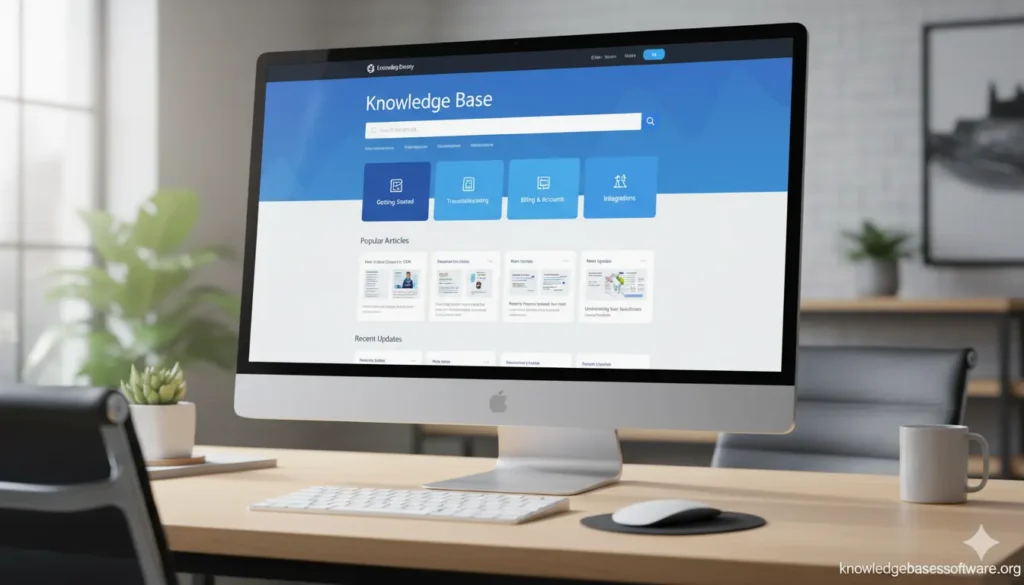
Built‑In Knowledge Base
Help Scout’s Help Center (knowledge base feature) allows companies to create self‑service documentation for customers.
Customers can find answers on their own using FAQs, guides, and tutorials — which reduces support workload.
Reports & Performance Insights
Help Scout offers analytics that help teams understand support performance:
- Response time trends
- Customer satisfaction (CSAT) scores
- Team productivity metrics
- Volume of conversations
These insights allow managers to improve processes and train teams strategically.
Core Features of HelpScout
Shared Inbox
- Centralized dashboard for multiple agents
- No duplicate replies
- Efficient organization of customer queries
| Feature | Shared Inbox (HelpScout) | Traditional Ticketing |
| Message View | Email-style conversations | Tickets with numbers |
| Team Collaboration | Easy, assign & tag | Hard to track |
| Customer Experience | Personalized | Robotic |
Knowledge Base (Docs)
- Create self-service help centers for customers
- Reduces support tickets
- Improves SEO traffic
Live Chat – Beacon
- Real-time messaging for website visitors
- Suggests relevant help articles automatically
- Increases customer engagement and conversion
Automation & Workflows
- Automatic assignment of tickets
- Auto-tagging messages
- Quick reply templates
- Priority rules for urgent issues
Reporting & Analytics
- Track team performance
- Monitor response times
- Measure customer satisfaction scores
| Metric | Description | Benefit |
| Response Time | Avg. time to reply | Faster support |
| CSAT Score | Customer satisfaction | Improve experience |
| Ticket Volume | Number of tickets per day | Identify peak hours |
Integrations
- Slack, Shopify, HubSpot, Trello, Zapier
- Automates workflow across platforms

How HelpScout Works (Step-by-Step)
Help Scout is designed to simplify customer support and make team collaboration effortless. Here’s a step-by-step guide to how it works:
Step 1: Set Up Your Shared Inbox
The first step is creating a shared inbox for your support team.
- Centralizes all customer emails into one place
- Allows multiple agents to manage conversations
- Avoids duplicate responses or missed messages
- Enables assigning tickets to specific team members
This ensures that your support team always stays organized and coordinated.
Step 2: Connect Other Communication Channels
Help Scout integrates with multiple channels so you can manage everything in one platform:
- Email support
- Live chat for real-time customer help
- Knowledge base (Help Center) for self-service
- Messaging apps or third-party tools through integrations
This gives agents a complete view of customer interactions in one interface.
Step 3: Create and Organize Knowledge Base
Help Scout lets you build a Help Center with FAQs, tutorials, guides, and documentation.
- Organize content into categories
- Make articles easy to search and browse
- Link knowledge base articles directly in email replies
- Reduce repetitive questions by enabling customer self-service
Step 4: Automate Workflows & Ticket Management
Automation helps your team respond faster and stay organized:
- Automatically assign tickets to the right agent
- Tag conversations based on type or urgency
- Use saved replies for common questions
- Route complex issues to specialized team members
This saves time and improves support consistency.
Step 5: Collaborate Within the Team
Agents can work together directly within Help Scout:
- Add private notes to tickets for context
- Collaborate on responses without leaving the inbox
- Monitor ticket status and follow up efficiently
- Share templates and guides for consistent communication
Step 6: Track Performance with Analytics
Help Scout provides insights to improve your support processes:
- Monitor response times and resolution times
- Check team productivity and workload distribution
- Measure customer satisfaction (CSAT) scores
- Identify areas for process improvement
Step 7: Provide a Personalized Customer Experience
Help Scout allows agents to deliver human, personal support:
- View customer history and past conversations
- Customize responses based on customer context
- Ensure every reply feels thoughtful and professional
HelpScout Pricing Explained
HelpScout offers subscription-based pricing.
| Plan | Monthly Cost | Features | Best For |
| Basic | $20/user | Shared inbox, Docs | Small teams |
| Standard | $40/user | Automation, Reporting, Beacon | Growing businesses |
| Enterprise | Custom | Advanced integrations & priority support | Large enterprises |
HelpScout Benefits for Businesses
- Improved Customer Experience: Faster and personalized support
- Increased Team Productivity: Automation reduces repetitive tasks
- Better Organization: Centralized conversations
- Scalability: Suitable for small to medium businesses
Example: A 10-person team can manage 500+ support emails per day without hiring extra staff using HelpScout.
HelpScout Pros and Cons
| Pros | Cons |
| User-friendly and intuitive interface | Limited advanced reporting compared to some competitors |
| Shared inbox promotes team collaboration | Can be costly for larger teams at higher tiers |
| Multi-channel support (email, live chat, knowledge base) | Lacks some advanced automation features of enterprise platforms |
| Knowledge base helps reduce repetitive questions | The mobile app is less feature-rich than the desktop version |
| Easy integrations with CRM, project management, and e-commerce tools | No built-in AI ticket routing like some AI-powered platforms |
| Personal and human-centered customer support | Limited customization for branding in the Help Center |
| Automation and workflow features to save time | Fewer advanced ticket prioritization options |
| Analytics and performance tracking available | Reporting dashboards are simpler compared to larger platforms |
| Scalable for small teams to large organizations | May require additional tools for complete omnichannel support |
| Affordable and cost-effective for small to mid-sized teams | Some features, like custom roles, require higher-tier plans |
HelpScout vs Competitors
| Tool | Best For | Key Difference |
| HelpScout | Small & medium teams | Human-style inbox |
| Zendesk | Enterprise | Advanced automation, complex setup |
| Freshdesk | Budget | More automation options |
| Intercom | Marketing-focused | Chat & marketing automation |
Who Should Use HelpScout?
Ideal for:
- SaaS startups
- eCommerce stores
- Digital agencies
- Remote teams
- Small & medium businesses
Example: Remote support teams can use HelpScout to manage global customers with centralized dashboards.
HelpScout Use Cases
- SaaS Companies: Onboarding support & technical queries
- eCommerce Stores: Orders, returns, shipping questions
- Agencies: Collaborate with multiple clients
- Remote Teams: Centralized communication improves productivity
HelpScout Alternatives
- Zendesk: Enterprise-focused
- Freshdesk: Budget-friendly
- Intercom: Marketing and chat
- Zoho Desk: CRM-integrated support
Tips for New Users
Getting started with Help Scout is easy, but following these tips can maximize efficiency, improve customer support, and save time for new users:
Set Up Your Shared Inbox Properly
- Create a shared inbox for your team and organize it by department or topic.
- Assign clear responsibilities for ticket handling to avoid duplicate replies.
- Use folders and tags to categorize tickets for easier tracking.
Connect Integrations Early
- Connect tools your team already uses, like Slack, CRM systems, or e-commerce platforms.
- Integrations let you access information without switching apps and improve workflow efficiency.
Use the Knowledge Base (Help Center)
- Build a structured Help Center with FAQs, tutorials, and guides.
- Encourage your team to link articles in replies to reduce repeated questions.
- Keep content updated and verified regularly.
Leverage Automation Features
- Use saved replies for common customer inquiries.
- Set up auto-assignment rules for tickets based on type or urgency.
- Tag conversations automatically to keep the inbox organized.
Collaborate with Your Tea
- Add private notes to tickets for internal communication.
- Use mentions to notify teammates when their input is needed.
- Share templates for consistent responses across the team.
Monitor Analytics from the Start
- Track response times, ticket volumes, and customer satisfaction (CSAT) scores.
- Identify bottlenecks and improve processes using data insights.
- Set team goals and measure progress over time.
Personalize Customer Communication
- Always check the customer’s previous interactions before replying.
- Address customers by name and reference past conversations.
- Make replies clear, professional, and helpful.
Take Advantage of Training Resources
- Help Scout offers tutorials, webinars, and guides for new users.
- Spend time learning shortcuts and best practices to speed up workflows.
Organize Tags and Folders
- Consistent tagging helps in reporting and finding tickets quickly.
- Use folders for recurring topics, departments, or customer types.
Regularly Review and Update Content
- Ensure the Help Center articles are accurate and up-to-date.
- Remove outdated information and keep instructions clear.
- Encourage team members to suggest improvements for knowledge articles.
Is HelpScout Worth It in 2026?
Yes. HelpScout is simple, powerful, and perfect for businesses looking to improve customer support without complexity.
Help Scout Frequently Asked Questions
Does Help Scout have a knowledge base?
Yes, Help Scout includes a Help Center that allows businesses to create FAQs, guides, and tutorials. Customers can use it to find answers on their own, which reduces repetitive inquiries and allows support agents to focus on more complex issues.
Can Help Scout handle multiple support channels?
Help Scout supports email, live chat, and knowledge base communication. It also integrates with CRM systems, project management tools, and other applications, providing a unified platform for all customer support needs.
Is Help Scout easy to use?
Yes, Help Scout is known for its intuitive interface and user-friendly design. Teams can get started quickly without extensive training, and the platform is structured to help agents handle customer queries efficiently while maintaining a personal touch.
How much does Help Scout cost?
Help Scout offers flexible pricing plans based on team size and features. The Standard plan includes essential support tools, while Plus and Enterprise plans provide advanced automation, integrations, and analytics. Businesses can choose a plan that fits their support needs and budget.