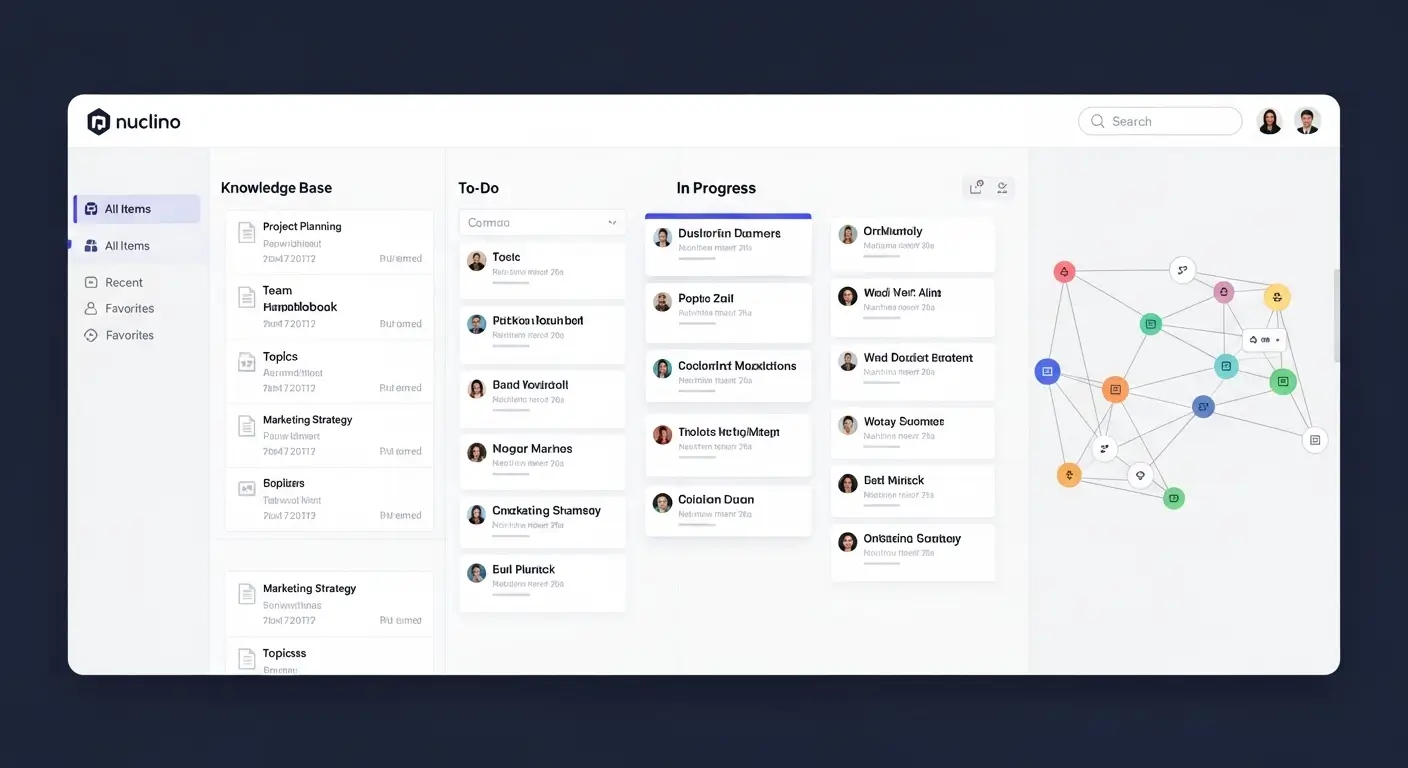

Business process management software has become an essential part of modern digital operations, helping organizations simplify workflows, minimize manual work, and enhance overall productivity. As businesses expand, handling complicated processes manually can often result in delays, mistakes, and inefficiencies. For this reason, companies are increasingly adopting automation-focused solutions to remain competitive in rapidly changing markets.
At its core, business process management software enables organizations to design, execute, monitor, and improve business workflows in an organized and efficient manner. Whether it is managing employee onboarding, processing customer service requests, or handling financial approvals, BPM tools help ensure that each process operates smoothly, consistently, and with complete visibility across teams.
What Is Business Process Management Software?
Business process management software is a digital solution created to help organizations model, automate, execute, and monitor their daily business workflows in an organized manner. It enables companies to replace repetitive manual tasks with automated processes that enhance speed, accuracy, and consistency. Using this software, businesses can visually create workflows, assign responsibilities, monitor progress in real time, and locate bottlenecks that may slow operations. Business process management software is commonly used across industries to increase efficiency, lower operational costs, and provide greater control over business activities while supporting ongoing process improvement and digital transformation.
Definition of BPM Software
Business process management software is a digital platform that enables organizations to design, model, and automate their internal business processes in an organized manner. It offers tools for mapping workflows, defining tasks, and making sure each stage of a process is completed consistently and efficiently. Through business process management software, companies can replace manual activities with automated systems that enhance accuracy, minimize delays, and improve overall productivity across departments.
In simple terms, business process management software acts as a central system that helps businesses manage and improve how work progresses from one stage to another. It makes sure that processes such as approvals, data management, and task assignments follow a defined and standardized path. This improves operational efficiency while also helping organizations achieve greater control, transparency, and compliance in their everyday business activities.
How BPM Software Works
Business process management software begins by allowing organizations to visually map their business processes through drag-and-drop tools or ready-made templates. After the workflow is created, the system automates task assignments, notifications, and approvals according to established rules. This minimizes the need for manual intervention and helps ensure that each task moves efficiently through every stage of the process.
Once automation has been configured, business process management software continuously monitors workflows in real time. It measures performance, detects bottlenecks, and delivers insights through dashboards and reports. This allows managers to make data-driven decisions and quickly improve processes for greater efficiency and productivity.
Core Components of BPM Systems
Business process management software consists of several core components that work together to manage and improve workflows. One of the main components is process modeling, which enables users to visually create and organize business workflows before they are automated. Another important element is the workflow engine, which carries out tasks, assigns responsibilities, and ensures processes operate according to predefined rules.
Along with these features, business process management software provides analytics and reporting tools that offer real-time visibility into process performance. Integration capabilities are also essential, allowing the system to connect with other business applications such as CRM and ERP platforms. Together, these components make business process management software a powerful solution for enhancing efficiency, transparency, and overall business performance.
- Process modeling: Business process management software helps organizations visually design and map workflows, making it easier to understand tasks, roles, and decision points across different departments.
- Workflow automation: Business process management software automates repetitive tasks such as approvals, notifications, and data routing, reducing manual effort and improving operational speed and consistency.
- Monitoring and analytics: Business process management software provides real-time insights into workflow performance, helping businesses identify bottlenecks, measure efficiency, and improve processes.
Key Features of BPM Software

Business process management software includes a broad range of powerful features that help streamline operations, increase efficiency, and improve overall business performance. One of its key strengths is workflow automation, which removes repetitive manual tasks and supports smooth task execution across departments. It also provides process modeling tools that help businesses visually create and improve workflows before implementation. In addition, business process management software offers real-time analytics, reporting dashboards, and integration options with systems such as CRM and ERP. Together, these features give organizations greater control, visibility, and ongoing improvement of their business processes.
Workflow Automation
Business process management software supports workflow automation by removing repetitive manual tasks and replacing them with rule-based processes. This allows approvals, notifications, and task assignments to happen automatically without unnecessary delays. As a result, business process management software improves speed, accuracy, and consistency across business operations while reducing human errors and operational expenses.
In addition, business process management software lets organizations set clear automation rules for every workflow step. Once these rules are configured, tasks are automatically directed to the appropriate people or systems for smooth execution. This improves productivity and allows teams to spend more time on strategic and high-value work rather than routine tasks.
Process Mapping and Modeling
Business process management software offers effective process mapping and modeling tools that help businesses visually create workflows before implementation. This allows organizations to understand how tasks move between departments, find inefficiencies, and develop improved processes. With business process management software, teams can create organized workflows that provide greater clarity and reduce confusion.
Moreover, business process management software makes it easier to test and improve processes before they are launched. Businesses can explore different scenarios, modify workflows, and confirm that everything works properly. This supports better planning, stronger coordination, and more efficient execution throughout the organization.
Real-Time Analytics & Reporting
Business process management software provides real-time analytics and reporting tools that give businesses clear visibility into workflow performance. It monitors metrics such as task completion time, bottlenecks, and process efficiency. With business process management software, managers can identify problems quickly and use data to improve operations.
Additionally, business process management software offers customizable dashboards and detailed reports that help organizations track performance trends over time. These insights support continuous improvement by helping businesses optimize workflows, increase productivity, and maintain better process control.
Integration with Business Tools (ERP, CRM)
Business process management software integrates smoothly with important business systems such as ERP and CRM platforms. This allows information to move easily between different tools, reducing duplication and improving data accuracy. With business process management software, organizations can connect sales, finance, HR, and operations within one unified system.
Furthermore, business process management software helps different business applications operate together efficiently. This improves collaboration, speeds up decisions, and creates a connected digital environment where departments can access consistent, real-time information.
Low-Code / No-Code Capabilities
Business process management software often provides low-code or no-code capabilities that let users create and change workflows without advanced programming knowledge. This makes it easier for non-technical users to build processes quickly and efficiently. With business process management software, businesses can reduce their reliance on IT teams and speed up digital transformation.
In addition, business process management software with low-code/no-code features allows faster workflow updates and ongoing improvements. Organizations can respond quickly to changing needs, test new ideas, and introduce solutions without lengthy development cycles, increasing overall agility and innovation.
Benefits of Using Business Process Management Software
Business process management software offers major benefits that help organizations increase efficiency, lower operational costs, and improve productivity. By automating repetitive tasks and standardizing workflows, it helps business processes operate smoothly with fewer errors. Business process management software also improves visibility across departments, allowing managers to monitor performance in real time and make faster, data-driven decisions. It strengthens team collaboration, reduces approval delays, and supports better compliance with business rules and regulations. Overall, business process management software helps businesses become more agile, scalable, and competitive in a rapidly changing digital environment.
Improved Operational Efficiency
Business process management software improves operational efficiency by automating repetitive tasks and simplifying complex workflows across departments. Instead of depending on manual processes, organizations can use business process management software to ensure that each task follows a clear and optimized path. This reduces delays, removes unnecessary steps, and allows employees to focus on important strategic work rather than routine activities.
In addition, business process management software improves teamwork by providing clear task assignments and real-time updates. This helps work move forward smoothly without confusion or duplicated effort. As a result, businesses can complete processes faster, increase productivity, and achieve greater output with fewer resources.
Reduced Human Errors
Business process management software helps minimize human errors by standardizing workflows and automating important tasks that are more likely to contain mistakes. Manual data entry, approvals, and repetitive activities can cause inconsistencies, but business process management software ensures each step follows predefined rules and conditions, reducing the possibility of errors.
Furthermore, business process management software includes validation checks and automated controls that stop incorrect data from progressing through the system. This improves data accuracy, increases reliability, and helps business processes run smoothly without expensive mistakes or rework.
Faster Decision-Making
Business process management software supports faster decision-making by providing real-time visibility into active processes and performance metrics. Managers can quickly review workflow status, locate bottlenecks, and take immediate action using insights from business process management software dashboards and reports.
Moreover, business process management software brings data from different departments into one place, making it easier for leaders to access accurate and current information. This reduces delays caused by scattered data and helps organizations make informed decisions more quickly and confidently.
Cost Reduction
Business process management software helps businesses lower operational costs by automating manual activities and improving resource use. By reducing the need for manual work in repetitive processes, business process management software decreases labor expenses and limits inefficiencies that can waste time and money.
Additionally, business process management software reduces costs caused by errors, delays, and repeated work. Through better workflow optimization and greater accuracy, businesses can operate more efficiently and use resources more effectively, leading to long-term savings.
Better Compliance & Governance
Business process management software improves compliance and governance by ensuring business processes follow predefined rules, regulations, and internal policies. It creates a transparent workflow structure where every action is recorded, documented, and monitored through business process management software, reducing the possibility of non-compliance.
In addition, business process management software provides audit trails and reporting tools that help organizations prove compliance during audits or inspections. This strengthens accountability, improves governance, and helps businesses operate within legal and regulatory requirements.
Top Use Cases of BPM Software
Business process management software is used across many industries to automate, improve, and standardize different business operations. Organizations use business process management software to streamline HR activities such as employee onboarding, leave management, and performance tracking. In finance, it helps automate invoice approvals, expense management, and financial reporting. Customer service teams use it to manage support tickets, resolve problems faster, and improve customer satisfaction. Business process management software is also useful in supply chain management, IT service management, and healthcare workflows, where accuracy, speed, and coordination are important for efficient operations.
HR Process Automation
Business process management software is commonly used in HR departments to automate repetitive activities such as employee onboarding, attendance tracking, leave approvals, and performance evaluations. By using business process management software, HR teams can reduce paperwork, speed up processes, and handle employee-related activities consistently across the organization. This improves employee experience and operational efficiency.
In addition, business process management software helps HR managers maintain accurate employee records and improve communication between departments. Automated workflows ensure that each HR task follows a clear process, reducing delays and errors in important HR operations.
Finance & Accounting Workflows
Business process management software plays an important role in finance and accounting by automating invoice processing, expense approvals, budgeting workflows, and financial reporting. With business process management software, organizations can reduce manual calculations and lower the risk of financial errors while maintaining accuracy and compliance in financial transactions.
Moreover, business process management software provides real-time visibility into financial workflows, helping finance teams track payments, monitor cash flow, and complete approvals on time. This improves financial control and supports better planning and decision-making.
Customer Service Management
Business process management software improves customer service by automating ticket management, complaint handling, and service request routing. With business process management software, customer questions are automatically directed to the appropriate support agents, helping businesses respond faster and increase customer satisfaction.
Additionally, business process management software allows businesses to monitor customer interactions and service performance in real time. This helps identify repeated issues, improve service quality, and provide a more consistent customer experience.
Supply Chain Optimization
Business process management software improves supply chain operations by automating inventory tracking, order processing, and logistics coordination. With business process management software, businesses can maintain smooth communication between suppliers, warehouses, and distributors, reducing delays and improving efficiency.
Furthermore, business process management software provides real-time visibility into supply chain performance, allowing organizations to find bottlenecks and improve resource allocation. This supports faster deliveries, lower costs, and greater supply chain reliability.
IT Service Management
Business process management software plays an important role in IT service management by automating incident management, change requests, and system monitoring workflows. By using business process management software, IT teams can resolve problems faster, reduce downtime, and keep systems operating smoothly.
In addition, business process management software supports IT governance by tracking service requests and ensuring compliance with internal IT policies. This creates more efficient IT support, stronger system reliability, and better overall service quality.
Top Business Process Management Software Tools
Business process management software tools help organizations automate, manage, and improve business workflows with greater efficiency and control. These platforms provide features such as process modeling, workflow automation, analytics, and system integration to increase productivity. Popular business process management software solutions such as Appian, IBM Business Automation Workflow, Microsoft Power Automate, Kissflow, and Nintex are widely used across industries. Each business process management software tool has different strengths, ranging from enterprise scalability to easy-to-use no-code interfaces. Choosing the right business process management software can help businesses simplify operations, reduce manual work, and speed up digital transformation.
Enterprise BPM Platforms
Business process management software in enterprise BPM platforms is designed for large organizations that handle complex and high-volume workflows. These platforms provide advanced features such as deep process automation, enterprise-level security, scalability, and integration with various business systems. With business process management software, large enterprises can standardize operations across departments, improve governance, and maintain consistent process execution at scale.
In addition, business process management software for enterprises provides advanced analytics and monitoring tools that help organizations measure performance across global operations. These platforms are suitable for businesses that need extensive customization, regulatory compliance, and reliable management of mission-critical workflows.
Low-Code BPM Solutions
Business process management software with low-code capabilities allows users to create and launch workflows without advanced programming knowledge. This makes it easier for business users and non-technical teams to design and update processes quickly. With business process management software, organizations can accelerate digital transformation by reducing dependence on IT departments and speeding up workflow development.
Furthermore, business process management software in low-code environments supports quick prototyping, simple customization, and continuous process improvement. Businesses can adapt to changing requirements, test new ideas, and improve workflows with minimal technical work, increasing agility and efficiency.
Cloud-Based BPM Tools
Business process management software based in the cloud provides flexibility, scalability, and remote access for modern organizations. These solutions allow teams to access workflows from different locations, supporting smooth collaboration. With business process management software, organizations can lower infrastructure costs while benefiting from automatic updates and improved system reliability.
In addition, business process management software in the cloud supports real-time data synchronization and integration with other cloud applications. This helps businesses scale operations, improve performance, and maintain continuous workflows without depending heavily on on-premise infrastructure.
How to Choose the Right BPM Software
Business process management software should be selected according to an organization’s specific needs, objectives, and long-term scalability requirements. The right business process management software should match business size, workflow complexity, and budget while providing flexibility for future growth. Businesses should evaluate features such as automation, integration with existing tools, ease of use, and reporting capabilities. A good business process management software solution should also provide low-code or no-code development for faster implementation. By evaluating these factors carefully, businesses can choose business process management software that improves efficiency, reduces costs, and supports digital transformation.
Business Size and Needs
Business process management software should be selected according to the organization’s size and specific requirements. Small businesses may need simple and easy-to-use solutions, while large enterprises may require advanced business process management software with complex automation, multi-department workflows, and strong security features. Understanding business needs helps ensure the software supports operational goals effectively.
In addition, business process management software should match industry requirements and workflow complexity. Whether used in finance, healthcare, or manufacturing, selecting the right solution helps improve efficiency and process execution without adding unnecessary complexity or costs.
Budget Considerations
Business process management software is available through different pricing models, from affordable monthly subscriptions to premium enterprise licensing. Organizations should carefully review their budgets before selecting business process management software to ensure they receive good value without paying for unnecessary features.
Moreover, business process management software should be evaluated according to its return on investment (ROI). A cost-effective solution should reduce manual work, increase productivity, and lower operating costs over time, making the investment valuable for long-term growth.
Integration Requirements
Business process management software should integrate effectively with existing business systems such as CRM, ERP, HR, and accounting platforms. Strong integration ensures that business process management software can centralize information and remove data silos between departments, improving workflow efficiency.
Additionally, business process management software with flexible API support allows businesses to connect different platforms easily. This creates a unified digital environment where information moves smoothly, supporting better coordination and faster decision-making.
Scalability & Flexibility
Business process management software should be able to scale as an organization grows and its needs change. A flexible business process management software solution allows companies to add users, processes, and features without affecting existing operations.
Furthermore, business process management software that supports customization helps businesses respond quickly to market changes. This flexibility improves long-term usability and reduces the need for frequent system replacements or upgrades.
User-Friendliness
Business process management software should offer an intuitive and easy-to-use interface so employees can adopt it without extensive training. A user-friendly business process management software solution improves productivity and reduces resistance to change across the organization.
In addition, business process management software with simple navigation and drag-and-drop tools allows both technical and non-technical users to create workflows efficiently. This improves adoption and supports smoother implementation across teams.
BPM Implementation Best Practices
Business process management software implementation requires a structured strategy to support successful adoption and long-term efficiency. Organizations should begin by defining clear goals, mapping current workflows, and identifying areas for improvement. Using business process management software, businesses can gradually automate processes instead of changing everything at once, reducing risks and resistance to change. It is also important to involve key stakeholders from different departments to support alignment and collaboration. Proper training, continuous monitoring, and regular optimization are essential when using business process management software to achieve efficiency, scalability, and ongoing process improvement.
Start with Process Mapping
Business process management software implementation should begin with clear and detailed process mapping. This helps organizations understand existing workflows, identify inefficiencies, and define the desired future state. Using business process management software, businesses can visually document each task, role, and decision point to create a strong foundation for automation.
In addition, business process management software allows teams to review mapped workflows and identify bottlenecks before automation starts. This helps ensure that only efficient and optimized processes are digitized, reducing errors and improving implementation results.
Involve Stakeholders Early
Business process management software projects are more effective when stakeholders from different departments participate from the start. Early involvement ensures that business requirements are considered and that business process management software reflects actual operational needs.
Moreover, business process management software adoption becomes easier when employees are involved in the decision-making process. This increases acceptance, reduces resistance, and supports better teamwork during implementation.
Automate Gradually
Business process management software should be introduced step by step instead of automating every process at once. A gradual approach allows organizations to test workflows, resolve problems, and improve systems before full deployment. With business process management software, this approach reduces risk and supports stable performance.
Additionally, business process management software allows businesses to begin with simple, high-impact processes before moving toward more complex automation. This phased approach improves efficiency while keeping system changes and performance under control.
Monitor and Optimize Continuously
Business process management software requires ongoing monitoring to ensure workflows remain efficient and aligned with business objectives. Organizations can use business process management software analytics to track performance, find bottlenecks, and measure process effectiveness in real time.
Furthermore, business process management software supports continuous optimization by allowing businesses to modify workflows according to performance data. This approach promotes long-term efficiency, adaptability, and sustainable business growth.
Common Mistakes to Avoid
Business process management software can provide strong results when it is implemented and used correctly. A common mistake is automating poorly designed processes without proper evaluation, which can increase inefficiencies. Another problem is selecting overly complicated business process management software that employees find difficult to use, leading to low adoption. Many organizations also fail to provide enough training, which can reduce productivity and increase errors. In some cases, businesses overlook continuous monitoring and optimization, causing workflows to become outdated. To achieve the best results, business process management software should be carefully planned, simplified, and regularly improved.
Over-Automation
Business process management software can become ineffective when organizations attempt to automate too many processes at once without proper evaluation. Over-automation can create unnecessary complexity and make workflows harder to manage. With business process management software, businesses should focus on repetitive and high-value tasks that genuinely benefit from automation.
In addition, business process management software should be introduced gradually to maintain stability and control. Automating unsuitable processes can create bottlenecks, increase system load, and reduce flexibility, which can negatively affect overall business efficiency.
Ignoring Employee Training
Business process management software requires proper employee training to support smooth adoption and effective use. When training is ignored, users may struggle to understand workflows, reducing productivity and increasing errors. With business process management software, trained employees can use system features effectively and improve operational efficiency.
Moreover, business process management software works better when employees feel confident using it. A lack of training can cause resistance, low adoption, and poor use of important features needed for process optimization.
Choosing Complex Tools
Business process management software should fit the organization’s technical capabilities and operational requirements. Selecting an overly complicated system can overwhelm users and delay implementation. With business process management software, ease of use and simplicity are important for successful adoption.
Additionally, business process management software that is more advanced than necessary can waste resources and reduce ROI. A user-friendly solution supports faster onboarding, stronger engagement, and smoother workflow execution across teams.
Poor Process Design
Business process management software cannot produce effective results when the underlying workflows are poorly designed. Unclear roles, flawed processes, and missing steps can create inefficiencies even after automation. With business process management software, proper process design should come before implementation.
Furthermore, business process management software depends on well-organized workflows to operate effectively. If processes are not improved beforehand, automation may simply increase existing problems rather than solve them, reducing overall business performance.
Future of Business Process Management Software
The future of business process management software is being influenced by rapid developments in automation and artificial intelligence. Modern organizations are moving toward smarter and more adaptive systems that can manage workflows with less human involvement. Business process management software is developing beyond basic workflow automation into intelligent platforms that support decision-making, process improvement, and real-time adaptability. As digital transformation continues to grow, businesses are increasingly using business process management software to improve agility, efficiency, and scalability. Technologies such as AI, predictive analytics, and generative models are making BPM solutions more powerful, intuitive, and prepared for future needs.
- AI-driven automation: Business process management software will use AI to automate and improve workflows, reducing manual effort and increasing accuracy.
- Hyperautomation trends: Business process management software will combine different automation technologies to create fully automated end-to-end business processes.
- Predictive analytics in BPM: Business process management software will use historical data to predict bottlenecks, performance problems, and future workflow results.
- Integration with generative AI: Business process management software will use generative AI to create workflows, recommend improvements, and support better decision-making.
Frequently Asked Questions
What is business process management software used for?
Business process management software is used to design, automate, monitor, and optimize business workflows. It helps organizations streamline operations such as approvals, data management, HR tasks, finance processes, and customer service activities for improved efficiency and accuracy.
Is BPM software suitable for small businesses?
Yes, business process management software is suitable for small businesses, especially low-code and cloud-based solutions. It helps small teams automate repetitive tasks, reduce manual work, and improve productivity without requiring large IT resources.
What is the difference between BPM and workflow automation?
Business process management software focuses on managing and optimizing complete end-to-end business processes, while workflow automation typically handles individual tasks or simple sequences. BPM is more comprehensive and strategic in nature.
How much does BPM software cost?
The cost of business process management software varies depending on features, scalability, and vendor. It can range from affordable monthly subscriptions for small businesses to high-cost enterprise solutions with advanced capabilities.
What industries benefit most from BPM tools?
Industries such as finance, healthcare, IT, manufacturing, logistics, and retail benefit greatly from business process management software due to their need for structured workflows, compliance, and operational efficiency.
Conclusion
Business process management software plays a vital role in helping modern organizations streamline operations, improve efficiency, and achieve better control over their business processes. By automating repetitive tasks and standardizing workflows, business process management software reduces errors, speeds up decision-making, and enhances overall productivity across departments. It also provides real-time visibility and analytics, enabling businesses to continuously monitor and optimize performance.
In today’s competitive digital landscape, adopting business process management software is no longer optional but essential for sustainable growth. Whether it’s improving customer service, optimizing finance workflows, or enhancing HR operations, business process management software empowers businesses to become more agile, scalable, and future-ready in an ever-evolving market.