
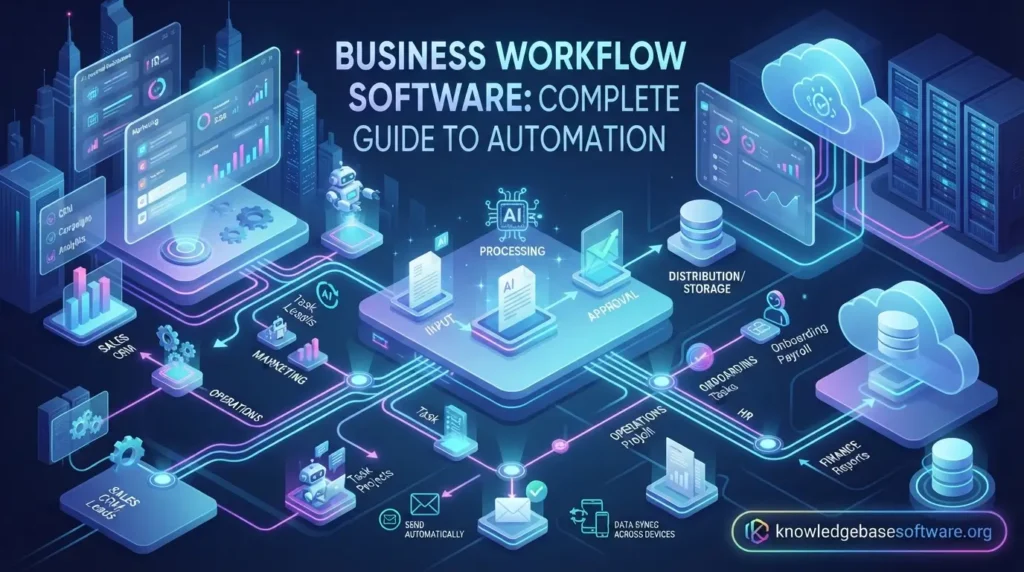
Welcome to knowledgebasesoftware. Business workflow software plays a crucial role in helping modern organizations streamline and optimize how work moves across teams, departments, and systems. In today’s fast-paced digital environment, companies can no longer rely on manual coordination, scattered spreadsheets, or email-based approvals to manage operations efficiently. Instead, they adopt structured digital systems that ensure tasks are executed in a predictable, transparent, and automated way.
At its core, this technology is closely tied to concepts like workflow automation software and business process management, which focus on eliminating inefficiencies and improving operational flow. By using business workflow software, organizations can reduce delays, minimize human errors, and enhance collaboration through clearly defined processes. This becomes especially valuable when managing complex operations that involve multiple stakeholders, approval stages, and integrated tools such as CRM or ERP systems.
What Is Business Workflow Software?
Business workflow software is a digital system designed to structure, automate, and optimize how tasks move through different stages within an organization. It helps businesses replace manual, error-prone processes with automated workflows that follow predefined rules and sequences. By doing this, companies can ensure that work is completed consistently, efficiently, and with full visibility across teams. This type of system is widely used to improve operational efficiency and reduce delays in communication and approvals. It connects people, data, and tools into a unified workflow, making it easier to manage complex business processes while supporting scalability and productivity growth.
Core Definition
At its core, workflow automation software refers to a platform that defines how tasks are created, assigned, executed, and completed within a business process. Instead of relying on manual coordination, the system automatically moves tasks from one step to another based on rules, triggers, or conditions set by the organization.
This ensures that every task follows a structured path, reducing confusion and improving accountability. Whether it is approving documents, onboarding employees, or processing requests, the software ensures that work flows smoothly without unnecessary delays or manual intervention.
Difference Between Workflow Software and BPM Tools
The key difference between business process management (BPM) tools and business workflow software lies in their scope and purpose. BPM tools focus on analyzing, modeling, and optimizing entire business processes at a strategic level, often involving large-scale organizational improvements.
In contrast, workflow software is more execution-focused, handling the automation of specific tasks and sequences within those broader processes. While BPM defines how a process should work, workflow software ensures that the defined process actually runs efficiently in day-to-day operations.
How Workflow Systems Organize Business Processes
Business process automation systems organize workflows by breaking down complex operations into smaller, manageable tasks. Each task is assigned rules that determine who performs it, when it is triggered, and what happens after completion.
These systems use conditions, triggers, and dependencies to ensure that processes move forward without manual oversight. For example, once a form is submitted, the system can automatically send it for approval, notify relevant stakeholders, and update records in connected systems.
Read Also: Best Accounting Software For Bookkeeping Business In 2026
Why Businesses Need Workflow Software
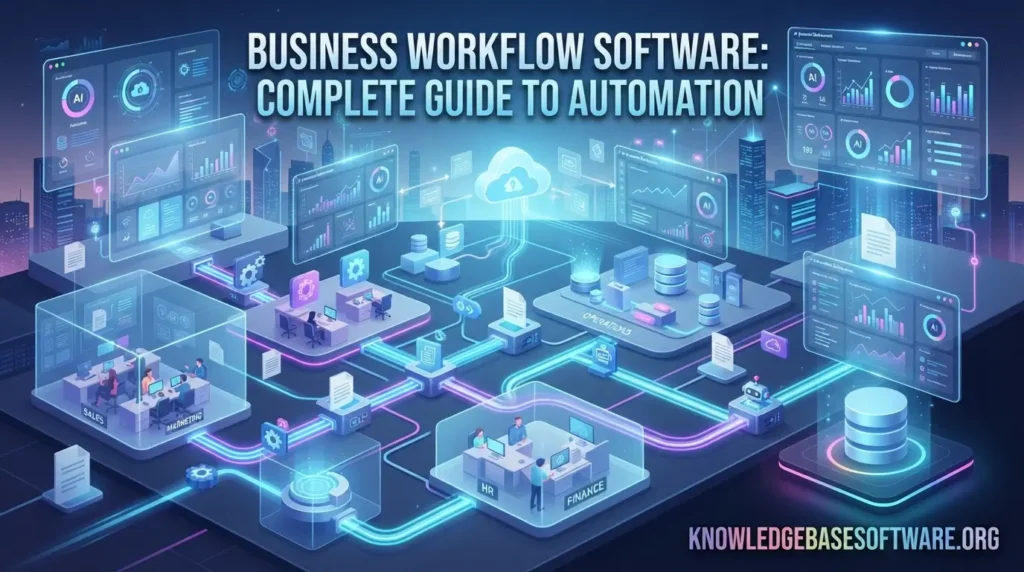
Business workflow software has become essential for organizations that want to operate efficiently in a highly competitive and fast-changing environment. Modern businesses deal with large volumes of tasks, approvals, and interdependent processes that cannot be managed effectively through manual methods. This software helps streamline operations by automating repetitive workflows and ensuring that every task follows a structured and predictable path. By integrating workflow automation software into daily operations, companies can reduce operational friction, improve visibility across departments, and maintain consistency in how work is executed.
Improved Efficiency and Productivity
One of the primary reasons businesses adopt business process automation tools like business workflow software is to improve efficiency. By automating repetitive and time-consuming tasks, employees can focus on more strategic and value-driven activities instead of manual coordination or data entry.
This leads to faster task completion and smoother operational flow across departments. Work no longer gets delayed due to miscommunication or dependency issues, as the system ensures tasks are automatically routed to the right person at the right time.
Reduced Manual Errors
Manual processes often lead to mistakes such as incorrect data entry, missed approvals, or inconsistent task handling. Workflow automation systems significantly reduce these errors by enforcing standardized processes and removing human dependency from repetitive actions.
With business workflow software, every step follows predefined rules, ensuring accuracy and consistency across all operations. This improves data quality, reduces rework, and helps maintain compliance in regulated industries.
Better Team Collaboration
Workflow management systems improve collaboration by centralizing tasks, communication, and progress tracking in a single platform. Teams no longer need to rely on scattered emails or disconnected tools to coordinate work.
Instead, business workflow software provides real-time updates, shared visibility, and automated notifications, ensuring everyone stays aligned. This creates a more transparent and collaborative working environment where responsibilities are clearly defined.
Faster Decision-Making
Organizations often struggle with delays in approvals and decision-making due to unclear processes or a lack of visibility. Business process automation helps eliminate these bottlenecks by ensuring that information flows quickly and reaches decision-makers without delay.
With business workflow software, managers can access real-time data, monitor task progress, and approve requests instantly from any location. This speeds up decision cycles and allows businesses to respond quickly to changes and opportunities.
Key Features of Workflow Automation Software
Business workflow software provides a powerful set of tools designed to automate, streamline, and optimize business processes across departments and teams. It enables organizations to design structured workflows, reduce manual effort, and improve operational efficiency through intelligent automation. Modern workflow automation software integrates with multiple systems, supports real-time tracking, and ensures smooth task execution. These features collectively help businesses achieve higher productivity, better accuracy, and scalable process management.
Key Features
- Drag-and-drop workflow builder for easy process design without technical coding skills required.
- Automated task assignment based on rules, roles, conditions, and predefined business logic.
- Approval workflows for structured, transparent, and accountable decision-making across teams.
- Integration capabilities with CRM, ERP, and third-party business applications seamlessly.
- Real-time tracking dashboards for monitoring progress, performance, and workflow status instantly.
- No-code and low-code tools enable non-technical users to build automation workflows easily.
- Notification and alert systems ensure timely updates and task completion reminders.
- Data synchronization across platforms to maintain consistency and reduce information gaps.
- Reporting and analytics tools for performance insights and process optimization strategies.
- Cloud-based access allows remote teams to manage workflows from anywhere securely.
Types of Business Workflow Software
Business workflow software comes in several different forms, each designed to address specific operational needs within an organization. While the core purpose remains the same streamlining and automating business processes—the way each type functions varies depending on complexity, industry requirements, and use cases. Understanding these categories helps businesses choose the right solution that aligns with their goals and operational structure. From simple task automation tools to advanced enterprise systems, workflow automation software has evolved into a diverse ecosystem. Some tools focus on managing entire business processes, while others specialize in project coordination or industry-specific operations.
Business Process Management (BPM) Tools
Business process management tools are designed to model, analyze, and optimize end-to-end business processes. They provide a structured framework for understanding how different workflows interact across departments and help organizations improve efficiency at a strategic level. These tools often include advanced features such as process mapping, simulation, and performance monitoring.
Within business workflow software, BPM tools are typically used by larger organizations that require detailed control over complex processes. They focus on long-term optimization and continuous improvement, ensuring that business operations remain aligned with organizational goals and compliance requirements.
Workflow Automation Platforms
Workflow automation software platforms focus on automating repetitive tasks and ensuring the smooth execution of predefined processes. These tools help businesses reduce manual intervention by automatically triggering actions based on rules, conditions, or events within the system.
In the context of business workflow software, automation platforms are widely used for tasks such as approvals, notifications, data routing, and task assignments. They are especially valuable for organizations looking to improve efficiency without redesigning their entire business structure.
Project Management Software
Project management tools are a type of business workflow software that focuses on organizing tasks, deadlines, and team collaboration within specific projects. These platforms help teams plan, execute, and monitor project progress in a structured and transparent way.
They often include features like task boards, Gantt charts, milestone tracking, and team communication tools. By using workflow management systems, teams can ensure that projects stay on schedule, resources are properly allocated, and goals are consistently met.
Industry-Specific Workflow Systems
Industry-specific workflow solutions are tailored to meet the unique requirements of sectors such as healthcare, finance, manufacturing, and human resources. These systems are designed to handle specialized processes that general-purpose tools may not fully support.
Within business workflow software, these systems provide customized workflows, compliance features, and integrations that match industry regulations and operational standards. This makes them highly effective for businesses that operate in regulated or highly specialized environments.
Common Mistakes to Avoid
Business workflow software can significantly improve efficiency and automation, but its success depends on proper implementation and usage. Many organizations fail to achieve expected results because they overlook critical planning steps or misuse features. Understanding common mistakes helps businesses avoid inefficiencies, reduce costs, and maximize the value of workflow automation software. By addressing these issues early, companies can ensure smoother adoption, better performance, and long-term success in digital process management.
Common Mistakes
- Overcomplicating workflows with unnecessary steps makes processes slower, harder to manage, and less efficient overall.
- Ignoring proper employee training leads to confusion, low adoption rates, and ineffective use of the system.
- Choosing unsuitable software that does not align with business needs or organizational structure requirements effectively.
- Failing to define clear goals results in poorly designed workflows and inefficient automation implementation outcomes.
- Not integrating systems properly causes data silos and disrupts seamless information flow across departments.
- Over-reliance on automation without human oversight can lead to unnoticed errors and process failures.
- Neglecting performance monitoring reduces visibility into workflow efficiency and improvement opportunities over time.
- Skipping process analysis before implementation leads to incorrect workflow design and operational inefficiencies.
- Ignoring scalability limits future growth and forces costly system replacements or major restructuring later.
- Poor change management creates resistance among employees and slows down the successful adoption of new systems.
Best Use Cases Across Industries
Business workflow software is widely used across multiple industries to streamline operations, reduce manual effort, and improve efficiency in everyday business processes. By integrating workflow automation software into different departments, organizations can standardize operations, eliminate bottlenecks, and ensure consistent task execution. Each industry applies workflow automation differently based on its unique operational needs and compliance requirements, making it a highly flexible and scalable solution. From service-based companies to highly regulated sectors, business workflow software helps automate repetitive tasks, improve communication, and ensure faster decision-making.
HR and Recruitment Automation
In human resources, workflow automation software simplifies recruitment by automating job postings, candidate screening, interview scheduling, and onboarding processes. This reduces manual workload for HR teams and ensures a smoother candidate experience from application to hiring.
With business workflow software, HR departments can also manage employee records, approval requests, and performance reviews in a structured and efficient manner. This improves consistency, reduces administrative delays, and enhances overall workforce management.
Marketing Campaign Workflows
Marketing teams use digital workflow systems to automate campaign planning, content approvals, scheduling, and performance tracking. This ensures that marketing activities are executed on time and aligned with business objectives.
Using business workflow software, teams can coordinate across designers, writers, and strategists more effectively. It improves visibility into campaign progress and helps optimize marketing performance through real-time insights.
Finance Approval Processes
In finance departments, business process automation plays a crucial role in managing invoice approvals, expense tracking, and budgeting workflows. Automation ensures that financial processes follow strict approval hierarchies and compliance standards.
With business workflow software, organizations can reduce errors in financial reporting, speed up approval cycles, and maintain accurate records for auditing and regulatory purposes. This leads to better financial control and transparency.
IT Service Management
IT teams rely on workflow automation systems to manage incident reporting, ticket resolution, and system maintenance tasks. These tools help prioritize issues, assign responsibilities, and track resolution progress efficiently.
Through business workflow software, IT departments can improve response times, reduce downtime, and ensure consistent service delivery. Automated escalation rules also ensure that critical issues are addressed promptly.
Customer Support Automation
Customer support teams use workflow management tools to automate ticket routing, response handling, and issue resolution. This ensures that customer inquiries are addressed quickly and assigned to the right support agents.
With business workflow software, companies can improve customer satisfaction by reducing response times and maintaining consistent service quality. Automated workflows also help track customer issues from initial contact to final resolution.
How to Choose the Right Workflow Software
Business workflow software selection is a critical decision that directly impacts how efficiently an organization can automate and manage its daily operations. Choosing the wrong system can lead to wasted resources, poor adoption, and limited scalability, while the right solution can significantly improve productivity and streamline end-to-end processes. Modern workflow automation software offers a wide range of capabilities, but not every tool is suitable for every organization. Factors such as business size, integration requirements, ease of use, scalability, and security must all be considered before making a decision. A structured evaluation process ensures that business workflow software aligns with both current workflows and future growth plans.
Business Size and Needs
The first step in selecting workflow management tools is understanding the size and complexity of your business operations. Small businesses often require simple automation for basic tasks like approvals and notifications, while larger enterprises need advanced systems capable of handling multi-department workflows.
Choosing business workflow software that matches organizational needs ensures better usability and faster adoption. Overly complex systems can overwhelm small teams, while limited tools may restrict scalability for growing businesses.
Integration Capabilities
A strong workflow automation platform should integrate seamlessly with existing tools such as CRM, ERP, email systems, and cloud applications. Without proper integration, businesses may face data silos and inefficient communication between systems.
With business workflow software, integration ensures smooth data flow across departments, reducing manual entry and improving operational accuracy. This creates a unified digital ecosystem where all tools work together efficiently.
Ease of Use
User experience is a key factor when selecting digital workflow software. If the platform is difficult to use, employees may resist adoption, reducing the overall effectiveness of automation.
Business workflow software should offer intuitive interfaces, drag-and-drop features, and minimal learning curves. This allows teams to quickly build, manage, and optimize workflows without requiring technical expertise.
Scalability and Pricing
As businesses grow, their workflow needs become more complex. A scalable workflow automation system ensures that new processes, users, and departments can be added without disrupting existing operations.
With business workflow software, pricing models should also align with business growth. Flexible plans allow organizations to scale efficiently without incurring unnecessary costs or needing frequent platform changes.
Security and Compliance
Security is a major concern when handling sensitive business data. A reliable workflow management system should offer strong encryption, access controls, and audit trails to ensure data protection.
Business workflow software must also comply with industry regulations such as GDPR or financial compliance standards. This ensures that business processes remain secure, transparent, and legally compliant at all times.
Future Trends in Business Workflow Software
Business workflow software is rapidly evolving as organizations move toward fully digital, intelligent, and automated operations. The future of this technology is driven by artificial intelligence, no-code platforms, and advanced data analytics that help businesses make smarter decisions and eliminate inefficiencies. As companies continue adopting workflow automation software, processes will become more predictive, adaptive, and integrated across systems. These advancements will redefine how businesses operate, collaborate, and scale in the coming years.
Future Trends
- AI-powered automation will optimize decisions, predict outcomes, and reduce manual intervention in complex workflows.
- Hyperautomation will combine multiple technologies to fully automate end-to-end business processes efficiently.
- No-code platforms will empower non-technical users to build and manage workflows easily without programming skills.
- Predictive analytics will identify bottlenecks and suggest process improvements before issues occur in workflows.
- Cloud-native workflow systems will enhance accessibility, scalability, and remote collaboration across global teams.
- Real-time data processing will improve decision-making speed and operational visibility across departments.
- Intelligent task routing will automatically assign work based on skills, workload, and priorities.
- Enhanced integration ecosystems will connect workflow tools seamlessly with enterprise applications and platforms.
- Voice and conversational interfaces will simplify workflow management through natural language commands.
- Blockchain-based workflows will improve transparency, security, and traceability in sensitive business processes.
Frequently asked questions
What is business workflow software used for?
Business workflow software is used to automate, manage, and optimize repetitive business processes such as approvals, task assignments, and inter-department coordination. It helps organizations reduce manual effort and improve operational efficiency using workflow automation software.
Is workflow software suitable for small businesses?
Yes, workflow management tools are highly suitable for small businesses because they simplify daily operations, reduce workload, and improve productivity without requiring large teams or complex systems.
What is the difference between BPM and workflow tools?
Business process management (BPM) focuses on designing and optimizing entire business processes, while business workflow software focuses on automating specific tasks within those processes.
Can workflow software integrate with CRM systems?
Yes, most workflow automation platforms integrate easily with CRM, ERP, and other business tools to ensure seamless data flow and better operational efficiency.
Do I need coding skills to use workflow software?
No, modern business workflow software often includes no-code or low-code features, allowing users to build and manage workflows without technical expertise.
Conclusion
Business workflow software has become an essential tool for organizations aiming to improve efficiency, reduce manual effort, and streamline operations across all departments. By adopting workflow automation software, businesses can transform complex, time-consuming processes into structured, automated systems that improve accuracy and productivity.
As digital transformation continues to evolve, companies that invest in business workflow software gain a clear competitive advantage through faster decision-making, better collaboration, and scalable operations. Implementing the right solution today ensures long-term growth, operational stability, and improved business performance in an increasingly automated future.

