
Welcome to our comprehensive Document360 review, where we break down everything you need to know about this powerful knowledge base platform. Whether you are a small business, a SaaS company, or an enterprise, Document360 offers tools to organize, manage, and deliver knowledge efficiently. This guide will help you understand its features, pricing, and how it compares to competitors.
Knowledge management is critical for businesses aiming to improve productivity and customer support. With Document360, you can create public knowledge bases for customers or internal wikis for your team. This review covers its usability, AI-powered tools, SEO capabilities, pricing, and best practices to help you make an informed decision.
What Is Document360 and Who Is It For?
Definition: Document360 Knowledge Base Platform
Document360 is a cloud-based knowledge management software designed to help businesses create, manage, and maintain structured knowledge bases. It supports both internal documentation and customer-facing knowledge portals, making it ideal for teams seeking a centralized hub for information.
Target Users and Use Cases
This platform is suitable for:
- SaaS companies managing support articles
- Enterprise teams documenting internal processes
- Customer service teams providing FAQs
- Product teams storing feature documentation
- HR and operations teams maintain internal knowledge
Public Knowledge Base vs Internal Wiki
Document360 allows you to create:
- Public Knowledge Base: Shareable with customers, enhancing self-service and reducing support load.
- Internal Wiki: Private, secure documentation for employees, improving onboarding and knowledge sharing.
Core Features of Document360
Knowledge Base Portal and Editors
Advanced WYSIWYG vs Markdown Editor
Document360 provides flexible editors:
- WYSIWYG Editor: User-friendly, no coding required. Ideal for non-technical contributors.
- Markdown Editor: Preferred by technical teams for formatting control and versioning.
These editors support rich media, tables, and SEO-friendly content structures.
Knowledge Base Site and Branding
Customize your portal with your brand colors, logo, and domain. You can create a professional-looking knowledge base that aligns with your corporate identity.
AI-Powered Features (AI Search, AI Writing Agent)
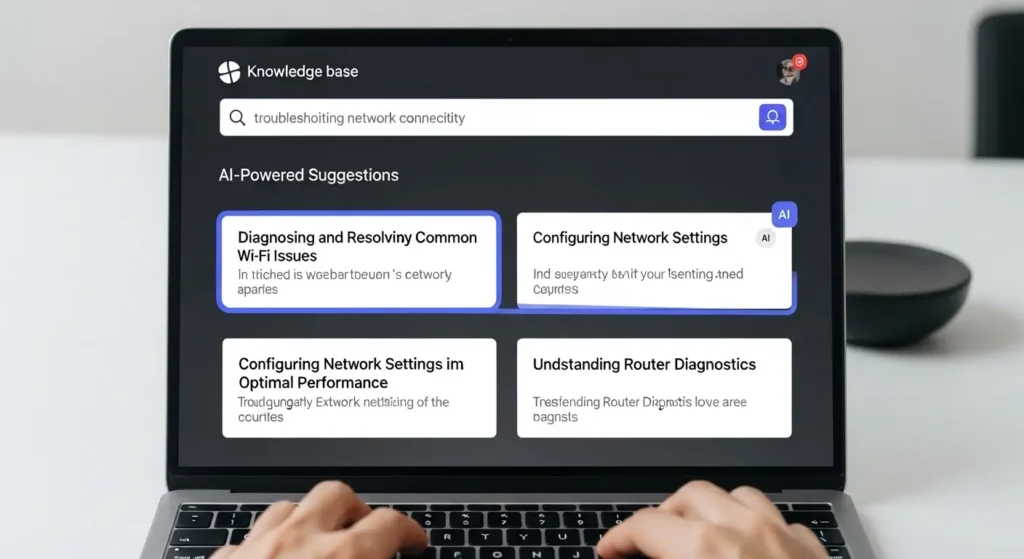
Document360 integrates AI-powered search, helping users find articles quickly. The AI writing agent assists in drafting content, improving productivity, and maintaining consistent writing quality.
Analytics and Reporting Tools
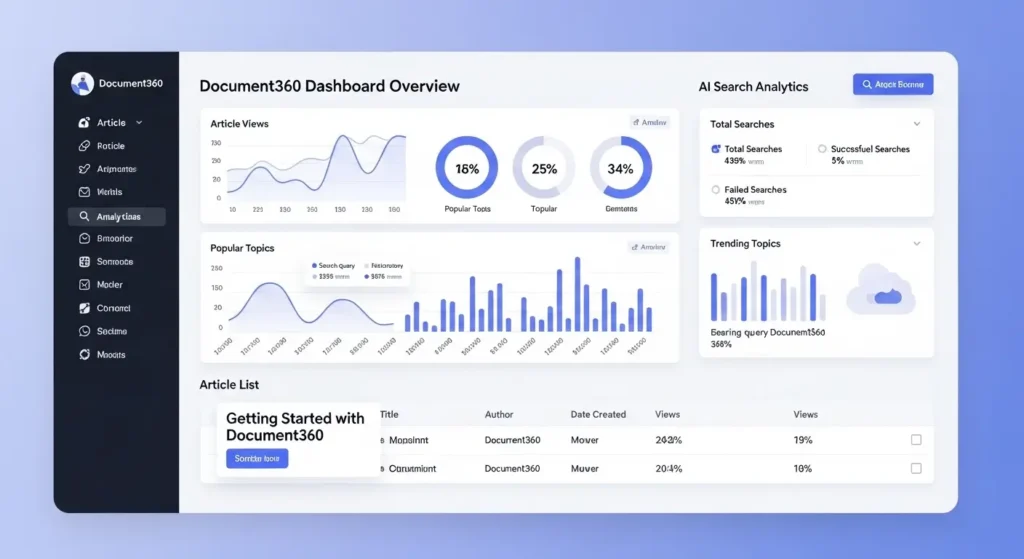
Track article performance, user engagement, and search patterns. Use analytics to identify content gaps and optimize the knowledge base structure.
Integrations and Extensions
Document360 connects with CRM, chatbots, ticketing systems, and productivity tools. Popular integrations include Zendesk, Freshdesk, Intercom, Slack, and Microsoft Teams.
SEO Customization Tools
Optimize your public knowledge base for search engines:
- Meta titles and descriptions
- SEO-friendly URLs
- Custom keywords for articles
- Sitemap generation
Document360 Pricing Plans Explained
Free or Trial Plans
Document360 offers a 14-day free trial, allowing you to test core features before committing.
Professional Plan Overview
- Suitable for small teams
- Up to 50,000 articles
- Basic analytics and integrations
Business Plan Overview
- Designed for growing teams
- Enhanced AI features and analytics
- Priority support and advanced customization
Enterprise Plan and Custom Options
- Tailored for large organizations
- Unlimited projects and articles
- Dedicated account manager
- Custom security and compliance
What’s Included at Each Tier
| Plan | Articles | Users | AI Features | Analytics | Support |
| Professional | 50k | 10 | Basic AI | Standard | Email support |
| Business | 100k | 50 | Advanced AI | Enhanced | Priority support |
| Enterprise | Unlimited | Unlimited | Full AI | Advanced | Dedicated manager |
How to Choose the Right Plan
Assess team size, article volume, and need for AI and analytics features. Larger teams benefit from the Business or Enterprise plans.
Step-by-Step Guide: Setting Up Your First Knowledge Base
Creating a Project
- Sign in to Document360.
- Click Create New Project.
- Enter project name, description, and visibility (public/private).
Structuring Categories and Articles
- Use categories to organize topics logically.
- Add tags for easy search and filtering.
Importing Existing Content
Document360 supports CSV, HTML, and Markdown imports. Migrate existing documentation seamlessly.
Customizing Branding and SEO
- Upload your logo
- Choose a color palette
- Add meta titles and descriptions for SEO
Pros and Cons of Using Document360
Major Advantages
- Easy-to-use editor options
- Flexible AI features
- Powerful search and analytics
- Customizable branding and SEO tools
- Multiple integration options
Limitations and User Feedback
- Pricing may be high for small teams
- Steeper learning curve for advanced features
- Limited offline editing
When It Makes Sense to Use Document360
Ideal for organizations that require a scalable knowledge management solution, especially SaaS, support, and enterprise teams.
Document360 vs Alternatives
Document360 vs GitBook
- Document360: Advanced AI, analytics, private/public projects
- GitBook: Strong markdown support, simpler pricing
Document360 vs Helpjuice
- Document360: Better SEO features, AI integrations
- Helpjuice: User-friendly, simple analytics
Document360 vs Confluence
- Document360: Knowledge base-focused, AI tools
- Confluence: General team wiki, broader project management
Summary Comparison Table
| Feature | Document360 | GitBook | Helpjuice | Confluence |
| AI Search | Yes | No | No | No |
| SEO Tools | Yes | Limited | Limited | No |
| Public KB | Yes | Yes | Yes | Optional |
| Analytics | Advanced | Basic | Basic | Basic |
Best Practices for Managing Knowledge Base Content
Content Structure and Navigation Tips
- Categorize logically
- Use concise titles
- Implement breadcrumbs
SEO Optimization for Knowledge Base Articles
- Include keywords naturally
- Optimize meta titles/descriptions
- Use internal linking between articles
Tracking Analytics and Improving Engagement
Monitor:
- Most viewed articles
- Search queries
- User feedback ratings
Maintaining Version History and Workflows
- Enable version control
- Use approval workflows for new content
Common Mistakes to Avoid with Knowledge Base Software
Poor Categorization and Tagging
Disorganized content reduces usability and search efficiency.
Not Leveraging AI Features Effectively
Failing to use AI search and writing tools can limit efficiency and accuracy.
Ignoring Audience Needs
Content must be tailored for the intended audience, whether internal employees or customers.
FAQs
What Is Document360 and How Does It Work?
Document360 is a knowledge base platform that allows teams to create, manage, and maintain documentation. It supports both internal wikis and public knowledge portals with AI-powered search and analytics.
Is There a Free Plan or Free Trial?
Yes, a 14-day free trial is available for testing core features before purchasing a paid plan.
Can I Use Document360 for Internal Documentation?
Absolutely. You can create private wikis with granular user permissions to maintain internal knowledge.
How Does Pricing Compare With Competitors?
Document360 pricing is competitive for mid-sized to enterprise teams, offering advanced AI, SEO tools, and analytics that are missing in simpler platforms.
Conclusion
Document360 is a versatile and powerful knowledge base platform suitable for businesses of all sizes. Its combination of AI-powered search, advanced editors, analytics, and SEO-friendly features makes it a top choice for both internal wikis and public knowledge bases.
Whether you are a small team looking to improve internal documentation or an enterprise aiming to deliver an efficient customer self-service portal, Document360 provides the tools and flexibility needed to scale your knowledge management effectively. By carefully evaluating your team’s size, content needs, and desired features, you can choose the right plan to maximize productivity and user engagement.
Investing in Document360 not only organizes your knowledge but also enhances collaboration, improves customer satisfaction, and ensures your content is discoverable and impactful.