
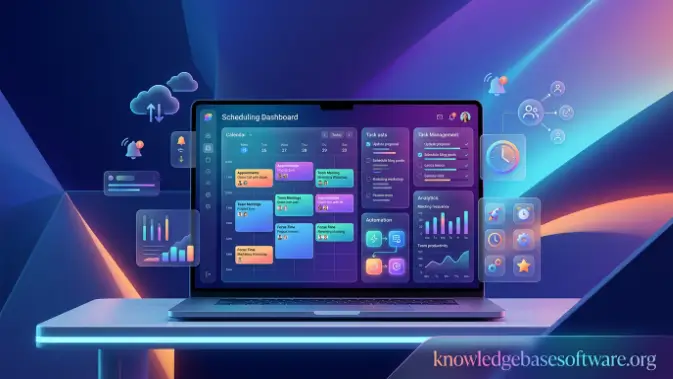
Welcome to knowledgebasesoftware. Managing a small business often requires owners and managers to handle customers, employees, daily operations, and business growth at the same time. As appointment volumes increase, using spreadsheets, paper calendars, phone calls, or manual booking methods can create scheduling problems. Missed appointments, double bookings, and communication delays can waste time and affect customer satisfaction and revenue. This is why small-business scheduling software has become an important solution for efficient appointment and staff management.
This guide explains what small business scheduling software is, why businesses use it, which features matter most, and how scheduling platforms can improve appointment and employee management. It also covers common scheduling challenges and important considerations when selecting software. By understanding these areas, businesses can choose a solution that creates a more organized and efficient scheduling process.
What Is Small Business Scheduling Software?
Managing appointments, employee availability, and customer bookings becomes more difficult as a business grows. Manual scheduling can result in missed appointments, double bookings, and unnecessary administrative work. Small business scheduling software simplifies these tasks by providing a centralized system for managing appointments, staff availability, and customer bookings. It helps businesses automate scheduling while providing a smoother experience for both customers and employees.
Definition and Purpose
Small business scheduling software is a digital solution that helps businesses organize appointments, manage employee availability, and automate booking tasks. Its main purpose is to reduce manual scheduling work while preventing common problems such as double bookings and missed appointments.
Modern appointment scheduling software allows customers to book services online, select available time slots, and receive confirmations. Business owners can manage appointments, monitor schedules, and allocate resources from one platform. This makes scheduling more efficient while improving customer service and productivity.
How Scheduling Software Works
Most scheduling platforms automate the booking process from start to finish. Customers can use an online booking software portal to choose an available time slot and confirm an appointment without contacting the business directly.
After a booking is created, the software can update calendars, send confirmations, and provide appointment reminders automatically. Many platforms also offer calendar management by syncing schedules with tools such as Google Calendar and Outlook. Employee scheduling features help managers organize availability and shifts, while workforce scheduling tools can help larger teams reduce conflicts and maintain appropriate staffing levels.
Businesses That Benefit Most
Many appointment-based businesses can use scheduling software to organize bookings and manage staff availability. Common examples include:
- Service businesses that manage recurring appointments and customer bookings.
- Consultants who schedule consultations and client meetings.
- Healthcare providers who manage patient appointments and reduce missed visits.
- Salons and spas that coordinate staff schedules and service bookings.
- Home service companies that schedule technicians and customer visits.
- Freelancers who manage client meetings and consultations.
Regardless of industry, small business scheduling software helps reduce manual scheduling work, organize appointments, manage employee availability, and provide customers with a convenient booking experience.
Read also: small business ERP software
Why Small Businesses Need Scheduling Software

Efficient scheduling is essential for small businesses managing customer appointments, employee shifts, consultations, or service calls. As operations grow, spreadsheets, phone calls, emails, and paper calendars can lead to scheduling errors, wasted time, and customer frustration. Small business scheduling software helps automate these tasks, improve organization, and create a more efficient scheduling process.
Reduce Administrative Work
Manual scheduling requires employees to handle booking requests, update calendars, confirm appointments, and process rescheduling requests. These repetitive tasks can consume valuable time and reduce productivity.
Small business scheduling software automates many of these responsibilities. Customers can book appointments online, receive confirmations, and make changes without staff assistance. This reduces administrative work and allows employees to focus on customer service and other important business activities.
Prevent Double Bookings
Double bookings can create customer dissatisfaction, scheduling conflicts, and lost revenue. Manual systems make it easier for multiple appointments to be assigned to the same time slot.
Scheduling software prevents these problems by showing real-time availability and automatically blocking booked slots. Connected calendars are updated when appointments are confirmed, helping businesses maintain accurate schedules.
Improve Customer Experience
Customers increasingly expect convenient and flexible booking options. Online scheduling allows them to make appointments without calling during business hours.
Modern scheduling platforms provide:
- 24/7 online booking access
- Instant appointment confirmations
- Easy rescheduling options
- Automated reminders
- Faster communication
A simple booking process improves customer satisfaction and makes it easier for customers to return and schedule future appointments.
Increase Team Productivity
Managing employee schedules manually can become difficult as teams grow. Managers may spend considerable time coordinating availability, adjusting shifts, and communicating schedule changes. Scheduling software provides a centralized platform to:
- Assign shifts
- Track employee availability
- Approve time-off requests
- Monitor workloads
- Communicate schedule updates
Employees can access their schedules from mobile devices, helping reduce confusion and improve coordination across the team.
Reduce No-Shows with Automated Reminders
Missed appointments can result in lost revenue and unused staff time. Small business scheduling software helps reduce no-shows by automatically sending reminders through:
- SMS text messages
- Mobile app notifications
Customers receive timely reminders before appointments, giving them an opportunity to attend or reschedule when necessary. Reducing no-shows can improve appointment utilization and revenue.
Support Business Growth
As businesses gain more customers, employees, services, and locations, manual scheduling becomes increasingly difficult to manage.
Small business scheduling software provides the scalability needed to handle higher appointment volumes, larger teams, multiple locations, and automated scheduling processes. By reducing administrative work and improving resource management, scheduling software helps businesses grow without adding unnecessary operational complexity.
Key Features to Look for in Small Business Scheduling Software
Choosing the right small business scheduling software requires evaluating features based on your business’s scheduling needs. The best solution should simplify appointment management, improve employee coordination, automate routine tasks, and support future growth. The following features are especially important when comparing scheduling platforms.
Comparison Table
| Feature | Why It Matters | Business Impact |
| Online Appointment Booking | Allows customers to book services anytime without contacting staff. | Increases bookings, improves convenience, and reduces administrative workload. |
| Calendar Synchronization | Keeps appointments updated across multiple calendars and devices. | Prevents scheduling conflicts and double bookings. |
| Automated Notifications & Reminders | Sends appointment confirmations, reminders, and updates automatically. | Reduces no-shows and improves customer communication. |
| Employee Scheduling & Shift Management | Helps managers organize staff schedules, shifts, and availability. | Improves workforce efficiency and reduces scheduling errors. |
| Customer Self-Service Portal | Enables customers to book, reschedule, or cancel appointments independently. | Enhances customer experience and lowers support requests. |
| Payment Processing Integration | Allows businesses to accept deposits and online payments during booking. | Improves cash flow and reduces missed payments. |
| Mobile App Access | Provides schedule management from smartphones and tablets. | Increases flexibility for business owners and employees. |
| Reporting & Analytics | Tracks appointment trends, customer behaviour, and business performance. | Supports data-driven decisions and operational improvements. |
| CRM Integration | Connects scheduling data with customer relationship management systems. | Improves customer tracking and streamlines workflows. |
| Third-Party Integrations | Links scheduling software with accounting, marketing, and communication tools. | Increases productivity and reduces manual data entry. |
| Custom Booking Rules | Allows businesses to define availability, booking limits, and buffer times. | Ensures scheduling processes align with business needs. |
| Appointment Management | Organises bookings, cancellations, and rescheduling from a single platform. | Saves time and improves scheduling accuracy. |
| Calendar Syncing | Automatically updates appointments across connected calendars. | Maintains real-time scheduling accuracy. |
| Staff Scheduling | Coordinates employee shifts and workload distribution. | Optimises staffing levels and improves team productivity. |
| Scheduling Automation | Automates repetitive scheduling tasks and communications. | Reduces manual work and increases operational efficiency. |
Best Small Business Scheduling Software Solutions Compared
Choosing the right small business scheduling software can improve appointment management, customer satisfaction, and team productivity. Different platforms focus on different business needs, including appointment booking, employee scheduling, field service operations, and customization.
Below is a comparison of popular scheduling software solutions for small businesses in 2026.
Comparison Table
| Software | Best For | Key Features | Pricing* | Free Plan | Mobile App |
| Calendly | Consultants & Professional Services | Booking links, calendar sync, reminders, team scheduling | Paid plans available | Yes | Yes |
| Acuity Scheduling | Customization | Custom forms, automation, payments, memberships | Paid plans available | No | Yes |
| Square Appointments | Retail & Service Businesses | Scheduling, payments, POS integration, reminders | Free and paid plans | Yes | Yes |
| Setmore | Free Scheduling Software | Online booking, reminders, video meetings | Free and paid plans | Yes | Yes |
| SimplyBook.me | Appointment-Heavy Businesses | Booking website, memberships, marketing tools | Free and paid plans | Yes | Yes |
| Zoho Bookings | Zoho Users | CRM integration, workflow automation, and scheduling | Paid plans available | Limited | Yes |
| Jobber | Field Service Businesses | Dispatching, routing, invoicing, scheduling | Paid plans available | No | Yes |
| Homebase | Employee Scheduling | Shift management, time tracking, and team communication | Free and paid plans | Yes | Yes |
Common Scheduling Challenges and How Software Solves Them
Scheduling can become increasingly difficult as small businesses manage more appointments, employees, and customer requests. Manual processes can cause lost revenue, scheduling errors, reduced productivity, and unnecessary administrative work. Small business scheduling software addresses these problems through automation, real-time updates, and centralized scheduling tools.
Missed Appointments
Missed appointments can result in lost revenue and unused business resources. Empty time slots may also be difficult to fill at short notice.
Scheduling software reduces no-shows through automated confirmation and reminder messages. Customers can receive email, text, or app notifications before their scheduled appointments.
Benefits include:
- Fewer no-shows
- Increased revenue
- Better customer attendance rates
- Reduced administrative follow-up
Automated reminders help businesses improve appointment attendance without requiring employees to contact customers manually.
Scheduling Conflicts
Scheduling conflicts occur when appointments overlap or employees are assigned to conflicting time slots. Manual scheduling makes these errors more likely when calendar information is not updated consistently.
Scheduling software helps prevent conflicts through:
- Real-time availability updates
- Automatic calendar synchronization
- Instant schedule adjustments
- Shared team calendars
When an appointment is confirmed, availability is updated across connected systems, helping maintain accurate schedules.
Manual Calendar Updates
Manually updating calendars, spreadsheets, and appointment books becomes increasingly difficult as booking volumes increase.
Manual updates can cause:
- Human errors
- Outdated information
- Time-consuming administrative work
- Missed scheduling changes
Scheduling software automatically updates calendars when appointments are booked, canceled, or rescheduled. This improves accuracy and ensures employees have access to current scheduling information.
Automated calendar management provides several advantages:
- Improved accuracy
- Time savings
- Reduced administrative workload
- Better schedule visibility
Staff Availability Issues
Managing employee availability becomes more challenging as teams and shift requirements increase. Managers need to coordinate availability, time-off requests, and staffing levels efficiently.
Without effective scheduling tools, businesses may experience:
- Understaffing during busy periods
- Overstaffing during slow periods
- Scheduling conflicts among employees
- Increased labor costs
Scheduling software allows managers to view employee availability and assign shifts more efficiently. Employees can also update availability, request time off, and manage shifts through self-service features.
This helps businesses:
- Optimize staff allocation
- Reduce scheduling conflicts
- Improve employee satisfaction
- Enhance operational efficiency
Customer Communication Delays
Manual communication can slow responses to appointment requests, schedule changes, and cancellations. These delays may result in lost bookings and customer frustration.
Scheduling software streamlines communication through automated messages and real-time notifications. Common communications include:
- Booking confirmations
- Appointment reminders
- Cancellation notifications
- Follow-up messages
- Customer feedback requests
Automated communication keeps customers informed while reducing repetitive work for employees.
By addressing missed appointments, scheduling conflicts, manual updates, staff availability issues, and communication delays, small business scheduling software helps businesses improve scheduling accuracy, productivity, and customer service.
Common Mistakes When Choosing Scheduling Software
Selecting the right small business scheduling software requires more than comparing subscription prices or feature lists. Businesses should consider their current scheduling requirements, integrations, scalability, mobile access, and employee adoption. Avoiding common selection mistakes can help businesses choose a platform that provides long-term value.
Choosing Based Only on Price
Choosing scheduling software solely because it has the lowest price can result in missing essential features or support.
Low-cost solutions may lack:
- Advanced automation tools
- Calendar integrations
- Reporting capabilities
- Employee scheduling features
- Customer support options
Instead of focusing only on subscription costs, consider productivity improvements, time savings, functionality, and scalability.
Ignoring Integrations
Scheduling software often needs to work with CRM, accounting, marketing, payment, and communication tools. Ignoring integration capabilities can lead to:
- Duplicate data entry
- Inconsistent customer records
- Increased administrative work
- Reduced operational efficiency
Before choosing a platform, check whether it integrates with:
- CRM software
- Accounting platforms
- Email marketing systems
- Payment gateways
- Communication tools
Strong integrations reduce manual processes and create a more efficient scheduling workflow.
Overlooking Mobile Accessibility
Business owners and employees may need to manage schedules while working remotely or serving customers. A scheduling platform with strong mobile access makes it easier to manage appointments and schedule changes from anywhere.
A quality scheduling solution should offer:
- Mobile applications for iOS and Android
- Real-time schedule updates
- Appointment management on the go
- Mobile notifications
- Employee access to schedules
Mobile accessibility helps businesses remain organized and responsive outside the office.
Not Planning for Growth
A scheduling solution that works for a small team may become unsuitable as the business expands. Future requirements may include:
- Additional user accounts
- Multiple locations
- Advanced reporting
- Expanded automation
- Workforce management tools
- Greater customization
Businesses should consider future growth when selecting software to avoid costly migrations and operational disruptions.
Skipping Employee Training
Even effective scheduling software may not deliver its full benefits if employees do not know how to use it properly. Poor training can result in:
- User errors
- Low adoption rates
- Scheduling mistakes
- Frustrated employees
- Reduced return on investment
Businesses should provide clear instructions, onboarding, training sessions, and access to support resources. Proper training helps employees use scheduling features effectively and improves the overall return on the software investment.
Avoiding these mistakes can make it easier to select small business scheduling software that fits current requirements while supporting future growth.
Future Trends in Small Business Scheduling Software
The future of small business scheduling software is increasingly focused on automation, artificial intelligence, and data-driven scheduling. Modern platforms are moving beyond basic calendar management to provide smarter tools for appointments, employee scheduling, customer communication, and business operations.
Key Future Trends
- AI-powered scheduling that automatically optimizes appointment times and reduces gaps
- Predictive workforce planning based on historical demand and customer behavior
- Fully automated customer communication across SMS, email, and mobile notifications
- Smart resource allocation for staff, rooms, and equipment optimization
- Advanced analytics for real-time business performance insights
- Deeper integration with CRM and business management tools
- Voice-activated and conversational scheduling assistants
- Hyper-personalized booking experiences based on customer history
- Real-time dynamic rescheduling based on cancellations or delays
- Increased use of cloud-based and mobile-first scheduling platforms
Frequently Asked Questions
What is small business scheduling software used for?
Small business scheduling software is used to automate appointment booking, manage employee schedules, organize calendars, and streamline customer communication. It replaces manual methods like spreadsheets and phone bookings with an automated system that improves efficiency and reduces scheduling errors.
Is scheduling software suitable for all types of small businesses?
Yes, scheduling software is suitable for a wide range of businesses, including service providers, consultants, healthcare clinics, salons, home service companies, and freelancers. Any business that relies on appointments, bookings, or staff scheduling can benefit from using it.
Can scheduling software reduce no-shows?
Yes, most scheduling platforms include automated reminders via email, SMS, or mobile notifications. These reminders help customers remember their appointments and significantly reduce no-show rates, which directly improves revenue and productivity.
Does scheduling software integrate with calendars and other tools?
Most modern systems support integration with tools like Google Calendar, Outlook, CRM systems, payment gateways, and marketing platforms. These integrations improve calendar management, reduce manual work, and ensure seamless data flow across business systems.
How much does small business scheduling software cost?
Pricing varies depending on features and business size. Basic plans may start at a low monthly cost, while advanced solutions with automation, analytics, and workforce scheduling features can be more expensive. Many providers also offer free plans or trials to help businesses get started.
What features should I prioritize when choosing scheduling software?
Key features to prioritize include online booking, calendar synchronization, automated reminders, employee scheduling, mobile access, and integration capabilities. Choosing the right features ensures better appointment management, improved efficiency, and long-term scalability.
Conclusion
Choosing the right small business scheduling software is no longer just a convenience; it is a strategic decision that directly impacts efficiency, customer satisfaction, and business growth. As organizations continue to handle increasing appointment volumes, manage distributed teams, and meet rising customer expectations, manual scheduling methods simply cannot keep up. Modern scheduling platforms bring structure and automation to what was once a time-consuming and error-prone process. With features like online booking, calendar management, employee scheduling, automated reminders, and real-time updates, businesses can significantly reduce administrative workload while improving accuracy and responsiveness.
These tools also enhance the customer experience by offering seamless booking options and faster communication. Beyond daily operations, scheduling software plays a crucial role in long-term business success. It supports scalability, improves resource allocation, and provides valuable insights through analytics and reporting. Whether you are a consultant, salon owner, healthcare provider, or service-based business, the right solution can help you operate more efficiently and grow with confidence.

