
In today’s fast-moving digital workplace, companies struggle with one major problem: knowledge chaos. Important information lives in emails, chat messages, documents, and employee memory. When team knowledge is scattered, productivity drops, onboarding becomes slow, and mistakes increase.
Tettra is a modern knowledge management platform designed to help teams organize company information, document processes, and share knowledge efficiently. Whether you run a startup, remote team, or growing business, Tettra helps create a single trusted source of truth for your organization.
This comprehensive guide explains everything you need to know about Tettra, including features, benefits, pricing, use cases, comparisons, and why it has become one of the most talked-about internal knowledge tools worldwide.
What Is Tettra?
Tettra is an AI-powered knowledge management and internal wiki software built to help teams document and share company knowledge in an organized way.
Instead of searching through Slack messages or old files, employees can quickly find answers inside a structured knowledge base.
In simple terms:
- Tettra = Company brain
- A centralized hub for team knowledge
- A searchable internal documentation system
It integrates directly with collaboration tools like Slack and Microsoft Teams, allowing teams to capture knowledge where conversations already happen.
Why Businesses Need Knowledge Management Tools
Modern companies generate massive amounts of information every day. Without proper organization, knowledge becomes difficult to access.
Common problems companies face include:
- Employees repeatedly ask the same questions
- Long onboarding time for new hires
- Lost documentation
- Dependency on specific employees for information
- Inefficient workflows
Tettra solves these challenges by turning scattered information into structured, searchable knowledge.
Key Features of Tettra
Internal Wiki Creation
Tettra allows companies to build an internal wiki where teams can store:
- Standard operating procedures
- Training materials
- HR policies
- Product documentation
- Team guidelines
Unlike traditional documentation tools, Tettra focuses on simplicity and usability.
AI Knowledge Assistant
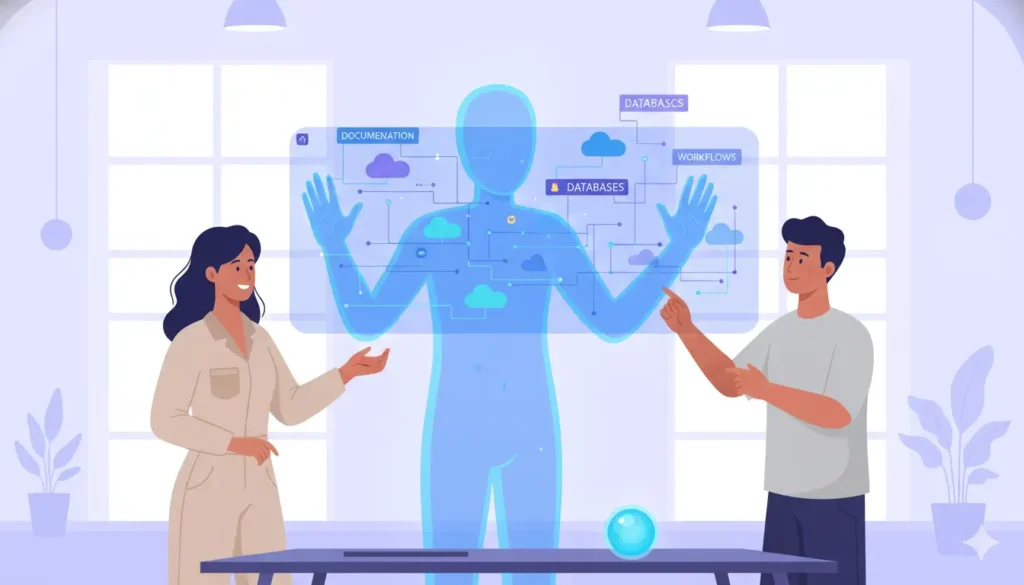
One of Tettra’s strongest features is its AI-powered assistant.
The AI helps users:
- Find answers instantly
- Suggest relevant documents
- Reduce repetitive questions
- Improve knowledge discovery
This significantly saves time across teams.
Slack and Microsoft Teams Integration
Tettra integrates deeply with communication platforms.
Employees can:
- Ask questions in Slack
- Convert answers into documentation
- Save conversations automatically
This ensures valuable knowledge never gets lost in chats.
Verification and Content Ownership
A unique feature of Tettra is knowledge verification.
You can assign owners to documents who must regularly confirm that information is still accurate. This prevents outdated content — a major issue in traditional wikis.
Smart Search System
Tettra’s search functionality allows users to quickly locate answers using keywords or natural language queries.
Instead of browsing folders, employees get instant results.
Permission Management
Organizations can control who can:
- View content
- Edit pages
- Manage knowledge areas
This keeps sensitive information secure while maintaining collaboration.
How Tettra Works
Tettra works as an internal knowledge base + team documentation tool that helps companies organize information and answer team questions quickly. It connects with workplace tools like Slack or Microsoft Teams so employees can find knowledge without leaving their daily workflow.
Let’s understand step-by-step how Tettra actually works
Step 1: Integrate Tettra with Team Tools
First, teams connect Tettra with communication platforms such as Slack or Microsoft Teams.
After integration:
- Employees can search for knowledge directly inside chat
- They can ask questions without opening another app
- AI suggestions show relevant documents automatically
This tight integration helps reduce repeated questions and saves time.
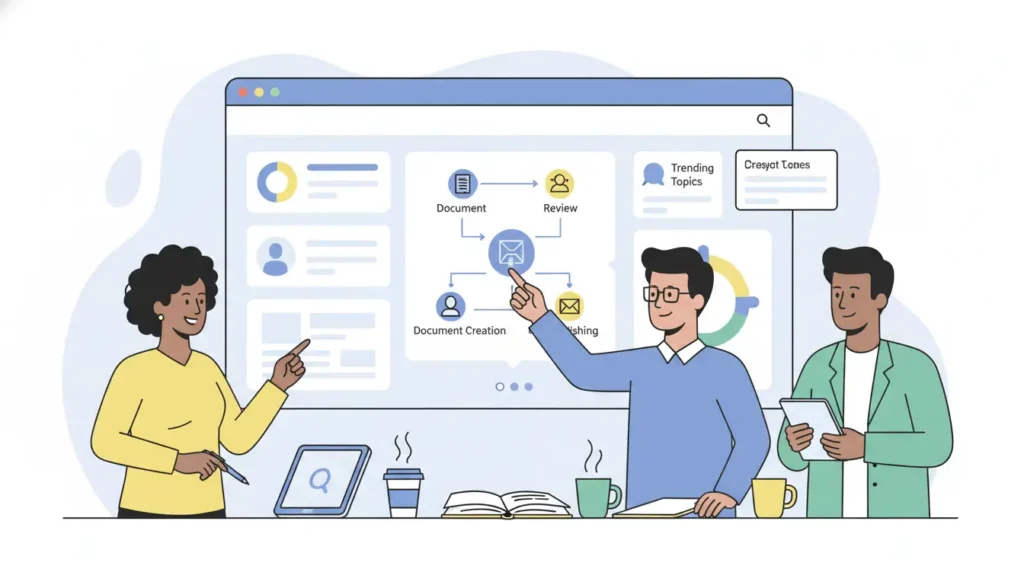
Step 2: Create Knowledge Pages & Documentation
Teams then create knowledge content using Tettra’s simple editor.
They can:
- Write SOPs (Standard Operating Procedures)
- Store company policies
- Add onboarding guides
- Upload PDFs or link to Google Docs
- Use templates for faster documentation
Content is organized into categories and subcategories, so information is easy to find.
Step 3: Ask Questions & Capture Answers
Tettra includes a Q&A system.
When someone asks a question:
- AI tries to suggest an existing answer
- If no answer exists → a knowledge request is created
- Experts are assigned to provide the correct answer
- That answer becomes searchable documentation
This process helps build a strong knowledge culture in teams.
Step 4: AI Assistant Provides Instant Answers
Tettra has an AI assistant (often called Kai).
It helps by:
- Finding answers from the knowledge base
- Suggesting relevant content
- Generating FAQ content
- Reducing manual searching
This improves productivity and decision-making speed.
Step 5: Verify & Update Content
To keep knowledge accurate:
- Experts verify pages on a schedule
- Teams receive reminders to update outdated information
- Managers can track stale or unused content
This ensures employees always use trusted and updated knowledge.
Step 6: Search & Share Information Quickly
Employees can search for knowledge by:
- Keywords
- Topics
- Contributors
- Categories
They can also instantly share document links in chat or email.
Benefits of Using Tettra
Faster Employee Onboarding
New employees can learn processes independently using the knowledge base instead of constantly asking colleagues.
Reduced Repetitive Questions
Teams stop answering the same questions repeatedly because answers already exist in Tettra.
Improved Productivity
Employees spend less time searching and more time working.
Knowledge Retention
When employees leave, company knowledge stays documented.
Better Team Collaboration
Everyone works from the same updated information source.
Who Should Use Tettra?
Tettra is designed as an internal knowledge management and team collaboration tool, so it’s especially useful for teams that want to organize information, reduce repeated questions, and improve productivity. Here’s a breakdown of who benefits the most:
Startups and Small Teams
- Need a lightweight knowledge management system
- Want to centralize company policies, onboarding guides, and SOPs
- Can avoid wasted time asking repeated questions
Remote and Distributed Teams
- Employees work from different locations
- Cloud access ensures everyone can find the same information quickly
- Reduces dependency on specific team members for answers
Customer Support Teams
- Access product documentation, troubleshooting guides, and FAQs instantly
- Respond to customers faster with accurate answers
- Keeps knowledge up-to-date for faster problem-solving
Sales and Marketing Teams
- Store sales scripts, product updates, and competitor insights
- Access campaign guidelines and marketing playbooks quickly
- Helps teams maintain consistency across messaging
Human Resources (HR) Departments
- Manage employee handbooks, training materials, and company policies
- Keep content verified and regularly updated
- Helps new hires onboard faster
SaaS Companies and Tech Teams
- Keep technical documentation organized
- Maintain a central hub for software updates and workflows
- Ensures engineers and product teams can find the right information quickly
Tettra Use Cases
Tettra is designed to solve real workplace challenges by organizing company knowledge into a structured and searchable system. Businesses across different industries use Tettra to improve collaboration, productivity, and information management. Below are the most important real-world use cases of Tettra.
Employee Onboarding and Training
One of the most powerful uses of Tettra is employee onboarding.
New hires often struggle because information is scattered across emails, documents, and team chats. Tettra allows companies to create a centralized onboarding hub containing:
- Training guides
- Company policies
- Workflow instructions
- Team responsibilities
- Frequently asked questions
New employees can learn independently, reducing pressure on managers and speeding up onboarding time.
Internal Company Wiki
Tettra acts as a modern internal wiki where teams store organizational knowledge in one place.
Companies use it to document:
- Standard operating procedures (SOPs)
- Internal processes
- Department guidelines
- Best practices
- Company announcements
Instead of asking coworkers repeatedly, employees simply search Tettra to find answers instantly.
Customer Support Knowledge Base
Customer support teams rely heavily on accurate information. Tettra helps support agents quickly access verified solutions.
Common support use cases include:
- Troubleshooting guides
- Product documentation
- Response templates
- Customer handling workflows
This improves response speed and ensures consistent customer service quality.
Remote Team Collaboration
Remote and distributed teams face communication challenges because knowledge gets lost in chat conversations.
Tettra solves this by:
- Capturing important Slack discussions
- Turning answers into permanent documentation
- Providing a shared knowledge space accessible anywhere
Remote teams stay aligned even across different time zones.
Product and Engineering Documentation
Development teams use Tettra to maintain technical documentation, such as:
- Feature explanations
- Release notes
- Development workflows
- API instructions
- Bug resolution processes
This prevents knowledge silos and helps new developers understand systems quickly.
HR and Policy Management
HR departments use Tettra to manage internal policies and employee resources.
Examples include:
- Leave policies
- Code of conduct
- Benefits information
- Hiring procedures
- Compliance documentation
Employees can self-serve answers without contacting HR for every question.
Marketing Team Knowledge Hub
Marketing teams often manage multiple campaigns and strategies. Tettra helps organize marketing knowledge,e such as:
- Brand guidelines
- SEO strategies
- Campaign workflows
- Content calendars
- Performance learnings
This keeps marketing efforts consistent across team members.
Process Standardization for Growing Companies
As companies scale, processes become complex. Tettra helps standardize operations by documenting workflows clearly.
Benefits include:
- Reduced operational confusion
- Consistent execution
- Easier scaling
- Faster decision-making
Growing startups especially benefit from structured knowledge systems.
Reducing Repetitive Questions
Many organizations lose productivity answering the same internal questions daily.
Tettra allows teams to:
- Save answers once
- Share verified information
- Create searchable FAQs
This dramatically reduces interruptions and improves workflow efficiency.
Knowledge Retention When Employees Leave
When experienced employees leave, companies often lose valuable knowledge.
Tettra preserves organizational intelligence by documenting expertise, ensuring business continuity even during team changes.
Tettra vs Traditional Wikis
| Feature | Tettra | Traditional Wiki |
| Ease of Use | Very Simple | Often Complex |
| AI Assistance | Yes | Usually No |
| Verification System | Built-in | Manual |
| Chat Integration | Strong | Limited |
| Modern Interface | Yes | Outdated |
Tettra focuses on usability rather than complexity.
Tettra Pricing Overview
Tettra typically offers pricing based on team size and features.
Plans usually include:
- Free or trial version
- Paid team plans
- Advanced enterprise features
Pricing may change over time, so businesses should check the official website for updated details.
Tettra Alternatives
Although Tettra is powerful, some companies compare it with other tools:
- Notion
- Confluence
- Guru
- Slab
- Document360
However, Tettra stands out because of its strong Slack integration and verification workflow.
Productivity Advantages of Using Tettra
While Tettra itself is an internal tool, it indirectly improves business performance by:
- Standardizing workflows
- Reducing operational confusion
- Improving internal communication
- Supporting scalable growth
Companies with organized knowledge systems operate more efficiently.
Best Practices for Using Tettra Effectively
To maximize results:
- Start with core documentation.
- Assign page owners.
- Update content regularly.
- Encourage team contributions.
- Integrate with daily tools like Slack.
- Use clear categories and naming conventions.
Consistency is key to success.
Common Mistakes to Avoid
Many teams fail with knowledge management because they:
- Create documentation, but never update it
- Allow duplicate content
- Avoid assigning ownership
- Overcomplicate structure
Tettra’s verification feature helps avoid these issues.
Future of Knowledge Management and Tettra
As remote work continues growing worldwide, knowledge management platforms are becoming essential business infrastructure.
AI-powered systems like Tettra represent the future where:
- Knowledge is instantly accessible
- Teams collaborate asynchronously
- Organizations scale faster
Companies adopting structured knowledge systems gain a competitive advantage.
Frequently Asked Questions (FAQ)
Is Tettra suitable for small teams?
Yes. Tettra is designed for both small startups and large organizations.
Does Tettra require technical skills?
No. The platform is beginner-friendly and easy to use.
Can Tettra replace internal documents?
Yes. Many companies use Tettra as their primary internal documentation system.
Is Tettra secure?
Yes. Permission controls help protect sensitive information.
Conclusion
Tettra has emerged as a powerful solution for companies looking to organize internal knowledge efficiently. By combining simplicity, AI assistance, and strong integrations, it helps teams reduce confusion, improve collaboration, and scale operations smoothly.
In a world where information overload slows businesses down, Tettra provides clarity through structured knowledge management.
Organizations that invest in proper knowledge systems today position themselves for faster growth and better productivity tomorrow.