
Welcome to knowledgebasesoftware. In today’s competitive business environment, efficient operations are essential for growing companies. Small businesses often manage accounting, inventory, customer relationships, purchasing, HR, and reporting while controlling costs and maintaining customer satisfaction. As operations grow, relying on spreadsheets and separate applications can cause duplicated work, inconsistent data, and communication gaps. This is why small business ERP software has become an important solution for sustainable growth.
At its core, small business ERP software connects key business functions within one centralized system. Instead of using separate tools for accounting, inventory, customer management, and reporting, businesses can manage these processes through one integrated platform. Modern enterprise resource planning software reduces duplicate data entry, improves visibility, and provides up-to-date information for better decisions.
What Is Small Business ERP Software?
Small business ERP software is a centralized digital platform that helps small and growing businesses manage core operations from one system. It connects accounting, sales, inventory, and human resources, reducing manual work and improving data consistency. As the foundation of modern enterprise resource planning software, it helps businesses operate more efficiently and make informed decisions.
Understanding ERP Systems
An ERP system brings essential business processes together in one platform. Instead of using disconnected tools or spreadsheets, businesses can connect finance, sales, inventory, and operations through integrated business management. This gives departments access to shared information and helps reduce communication and operational issues.
ERP systems can also standardize workflows across the business. With workflow automation, tasks such as approvals, invoicing, and order processing can follow predefined rules. This saves time, reduces errors, and improves consistency.
How ERP Software Works
ERP software connects different business modules through a shared system. When an activity occurs in one area, such as a sales order, related information can automatically update inventory, accounting, and reporting. This keeps data synchronized and reduces manual updates.
A centralized database stores and manages business information in one place. Users can access current dashboards and reports to monitor areas such as financial performance and inventory levels, supporting faster and more informed decisions.
Key Modules Included in ERP Platforms
Modern small business ERP software includes integrated modules for managing essential business functions. The accounting module supports bookkeeping, invoicing, budgeting, and cash flow tracking while helping maintain accurate financial records.
ERP platforms also commonly include inventory management, CRM, HR, purchasing, and reporting modules. Inventory tools track stock, CRM manages customers and sales, HR handles employee data and payroll, purchasing supports supplier management, and reporting provides useful business insights. Together, these modules create a connected system that improves efficiency and supports business growth.
Read also: seo software for small business
Benefits of ERP Software for Small Businesses
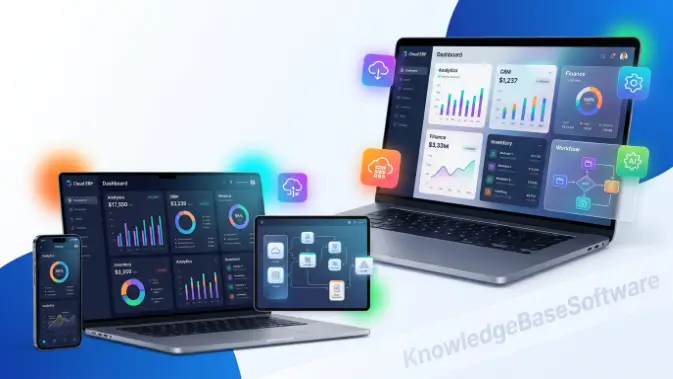
Small business ERP software helps growing companies manage essential operations from one integrated platform. It connects areas such as accounting, inventory, sales, HR, and customer management, reducing the need for multiple disconnected tools. By providing centralized data, automated workflows, and real-time information, ERP software improves efficiency, supports better decisions, and helps small businesses manage growth more effectively.
Key Benefits
- Centralizes business information in a centralized database
- Reduces manual work through workflow automation
- Improves accounting and financial control with financial management software
- Provides real-time reporting for better business decisions
- Connects customer information through CRM and CRM integration
- Improves stock control with inventory management software
- Connects departments through integrated business management
- Reduces duplicate work and operational errors
- Supports business growth and changing operational needs
- Streamlines sales, HR, purchasing, and reporting processes
Essential Features to Look for in Small Business ERP Software
Small business ERP software should include features that help businesses manage their daily operations from one system. When comparing ERP solutions, small businesses should focus on accounting, inventory, sales, HR, reporting, automation, and integrations. A good ERP platform should provide centralized information, smooth data sharing, and scalability. Modern cloud-based ERP solutions also allow businesses to access their systems remotely without maintaining extensive internal infrastructure.
Feature Comparison Table
| Feature | Description | Business Benefit |
| Financial Management | Accounting, budgeting, and cash flow tracking | Better financial control and accuracy |
| Inventory Management | Real-time inventory tracking and stock control | Helps prevent stockouts and overstocking |
| CRM | Customer data and sales pipeline management | Better customer management |
| HR Management | Employee records and payroll management | Streamlined HR operations |
| Automation Tools | Workflow and task automation | Higher efficiency and fewer errors |
| Business Intelligence | Analytics and reporting dashboards | Better business decisions |
| Mobile Access | ERP access through mobile devices | Flexible access to business data |
| Integrations | Connections with third-party tools | Connected business operations |
Best Small Business ERP Software Solutions in 2026
Small business ERP software now includes a wide range of cloud-based and scalable solutions. These platforms can combine accounting, inventory, CRM, HR, purchasing, and reporting in one environment. The right ERP depends on business size, industry, budget, required features, and future growth. Small businesses should prioritize solutions that provide essential functionality without unnecessary complexity.
Microsoft Dynamics 365 Business Central
Microsoft Dynamics 365 Business Central is an ERP solution designed for small and mid-sized businesses. It combines financial management, inventory, supply chain operations, sales, and customer management in one platform. Its integration with Microsoft applications can also make it convenient for businesses already using the Microsoft ecosystem.
Key Features:
- Financial management and accounting
- Inventory and supply chain management
- Sales and CRM integration
- Project management tools
- Real-time reporting dashboards
Pros:
- Strong Microsoft integration
- Scalable for growing businesses
- Useful reporting and analytics
Cons:
- Can be complex for beginners
- Implementation may require significant investment
Best For:
Small businesses already using Microsoft products and planning for long-term growth.
NetSuite
NetSuite is a cloud-based ERP platform that combines financial management, CRM, inventory, order management, and e-commerce capabilities. Its broad feature set and scalability make it suitable for small and growing businesses with more advanced ERP requirements.
Key Features:
- Cloud-based financial management
- CRM and sales automation
- Inventory and order management
- Reporting and analytics
- E-commerce integration
Pros:
- Fully cloud-based
- Highly scalable
- Comprehensive ERP functionality
Cons:
- Can be expensive for smaller businesses
- Professional implementation may be needed
Best For:
Growing businesses that need a scalable cloud-based ERP platform.
Odoo
Odoo is a modular ERP platform that allows small businesses to select the applications they need. It provides tools for accounting, inventory, CRM, HR, sales, and other business functions, making it suitable for companies looking for flexibility.
Key Features:
- Modular ERP system
- Accounting and invoicing
- Inventory and warehouse management
- CRM and sales management
- HR and recruitment tools
Pros:
- Flexible and customizable
- Cost-effective options
- Large community support
Cons:
- Customization may require technical knowledge
- Some features require paid applications
Best For:
Small businesses looking for flexible and customizable ERP software.
SAP Business One
SAP Business One is an ERP platform designed for small and mid-sized businesses. It provides financial management, inventory, purchasing, sales, CRM, and reporting features through an integrated system.
Key Features:
- Financial accounting and reporting
- Inventory and procurement management
- Sales and CRM functionality
- Business intelligence dashboards
- Production planning tools
Pros:
- Established ERP platform
- Strong reporting capabilities
- Suitable for complex business operations
Cons:
- Implementation can be complex
- May be costly for smaller companies
Best For:
Small and mid-sized businesses that need comprehensive ERP functionality.
Sage Intacct
Sage Intacct is a cloud-based ERP solution with a strong focus on financial management and accounting. It helps businesses manage financial information, reporting, and accounting processes from a centralized platform.
Key Features:
- Financial management
- Multi-entity accounting
- Revenue recognition
- Financial dashboards
- Automated reporting
Pros:
- Strong financial reporting
- Easy-to-use interface
- Useful compliance features
Cons:
- Limited non-financial modules
- Less suitable for manufacturing
Best For:
Small businesses that primarily need advanced financial management.
ERPNext
ERPNext is an open-source ERP platform that provides accounting, inventory, CRM, HR, and manufacturing functionality. Its flexible structure makes it an option for small businesses looking for an affordable and customizable ERP system.
Key Features:
- Open-source ERP platform
- Accounting and payroll tools
- Inventory tracking
- CRM and sales management
- Manufacturing module
Pros:
- Free and open-source
- Flexible and customizable
- Strong community support
Cons:
- May require technical expertise
- Limited official support
Best For:
Small businesses seeking a cost-effective ERP system with customization options.
Acumatica
Acumatica is a cloud ERP platform designed for growing businesses. It provides financial management, inventory, distribution, project accounting, and CRM features within an integrated system.
Key Features:
- Cloud ERP platform
- Financial management
- Inventory and distribution tools
- Project accounting
- CRM integration
Pros:
- Flexible pricing
- Scalable for growing businesses
- Strong cloud capabilities
Cons:
- May be costly for very small businesses
- Partner implementation may be required
Best For:
Growing small businesses looking for flexible cloud-based ERP software.
QuickBooks Enterprise
QuickBooks Enterprise provides advanced accounting, inventory, order management, and reporting features for small and mid-sized businesses. It can be useful for businesses moving from basic accounting software toward a more integrated ERP-style system.
Key Features:
- Advanced accounting tools
- Inventory and order management
- Payroll integration
- Reporting and analytics
- User access controls
Pros:
- Familiar interface for QuickBooks users
- Strong accounting functionality
- Lower cost than many full ERP platforms
Cons:
- Limited compared with complete ERP systems
- Not ideal for complex large-scale operations
Best For:
Small businesses that need advanced accounting with basic ERP capabilities.
Cloud ERP vs On-Premise ERP for Small Businesses
Small business ERP software can be deployed through cloud or on-premise models. Cloud ERP is hosted by the provider and accessed through the internet, while on-premise ERP is installed and managed on a company’s own infrastructure. The best option depends on budget, IT resources, security requirements, accessibility needs, and business growth. For many small businesses, cloud-based ERP offers easier maintenance and lower upfront infrastructure costs.
Cloud ERP vs On-Premise ERP Comparison Table
| Feature | Cloud ERP (SaaS ERP / Hosted ERP) | On-Premise ERP |
| Deployment | Hosted on vendor servers | Installed on local servers |
| Cost Structure | Subscription-based (lower upfront cost) | High upfront investment |
| Maintenance | Managed by vendor | Managed internally |
| Accessibility | Anywhere with internet | Limited to internal network |
| Scalability | Easily scalable | Requires hardware upgrades |
| Security Control | Vendor-managed security | Full internal control |
| Updates | Automatic updates | Manual upgrades |
| Customization | Moderate flexibility | High customization potential |
Common ERP Implementation Mistakes to Avoid
Implementing small business ERP software requires careful planning because poor implementation can reduce the benefits of an ERP investment. Common problems include selecting software based only on price, inadequate employee training, poor data migration, excessive customization, and limited management support. Avoiding these issues helps small businesses achieve smoother ERP adoption and better operational results.
Choosing Based Only on Price
Choosing small business ERP software solely because it is inexpensive can create problems later. A low-cost solution may lack important accounting, inventory, reporting, integration, or automation features required by a growing business.
Businesses should compare total value, including functionality, scalability, support, and future requirements. The right ERP should meet current needs while providing enough flexibility for growth.
Ignoring Employee Training
Employees need proper training to use small business ERP software effectively. Without sufficient training, users may struggle with accounting, inventory, CRM, reporting, and other ERP functions.
Proper training improves adoption, reduces data-entry errors, and helps employees use the system efficiently. Ongoing support can further improve productivity.
Poor Data Migration Planning
Moving existing business data into a new ERP system requires careful planning. Poor migration can result in duplicate, incomplete, or inaccurate accounting, inventory, customer, and employee information.
Businesses should clean and validate data before migration and test the process before the ERP goes live. This helps maintain accurate information across the new system.
Over-Customization
Excessive customization can make small business ERP software more expensive and difficult to maintain. Too many modifications can also create problems when the software receives updates or upgrades.
Businesses should use standard ERP features wherever possible. Customization should focus only on essential requirements that cannot be handled through the platform’s existing functionality.
Lack of Executive Support
Management support is important when introducing small business ERP software. Without clear goals, resources, and leadership involvement, employees may resist the new system or fail to use it properly.
Business leaders should communicate the purpose of the ERP, provide adequate resources, and monitor implementation progress. This helps align the ERP system with business objectives.
ERP Software Costs for Small Businesses
The cost of small business ERP software depends on the provider, deployment model, number of users, modules, and implementation requirements. Businesses should consider more than the software price itself, including implementation, customization, training, support, and maintenance. Comparing the total cost of ownership helps small businesses choose an ERP system that fits their budget.
Subscription Pricing Models
Subscription pricing is common with cloud-based ERP systems. Businesses typically pay monthly or annually based on users, modules, or selected features. This reduces the need for a large upfront investment.
Subscription ERP can also make budgeting easier and allow businesses to increase their usage as they grow. However, companies should review long-term subscription costs before selecting a solution.
Implementation Costs
Implementation costs can include ERP configuration, data migration, integrations, and system setup. The total expense depends on the complexity of the software and the level of professional assistance required.
A structured implementation helps reduce disruptions and ensures that accounting, inventory, CRM, and other modules are configured correctly.
Customization Expenses
Customization costs occur when an ERP needs to be modified for specific business processes. While basic configuration may be sufficient for many small businesses, specialized requirements can require additional development.
Businesses should first determine whether existing ERP features can meet their requirements. Limiting unnecessary customization helps control costs and simplifies future upgrades.
Ongoing Maintenance Costs
Ongoing ERP expenses can include support, updates, upgrades, hosting, and technical services. Cloud ERP providers generally handle much of the maintenance as part of the subscription.
On-premise ERP may require additional spending on hardware, IT staff, security, and upgrades. Small businesses should include these expenses when calculating the long-term ERP cost.
Industry-Specific ERP Solutions
Small business ERP software can support different industries, but the most useful features depend on the company’s specific operations. Retailers may prioritize inventory and sales, manufacturers may need production and procurement tools, while service businesses often require project and billing management. Choosing ERP features according to industry requirements helps businesses get more value from their software.
Retail Businesses
Retail businesses need small business ERP software that can manage inventory, sales, purchasing, and customer information. Real-time inventory tracking helps businesses monitor stock levels and reduce both shortages and excess inventory.
ERP systems can also connect POS and CRM functions, helping retailers manage sales and customer data from one platform. Reporting tools provide useful information about sales performance and product demand.
Manufacturing Companies
Manufacturing businesses can use ERP software to manage production, inventory, purchasing, raw materials, and supply chain processes. ERP integration helps connect these activities and provides better visibility into production operations.
Manufacturing ERP systems can also support production scheduling, cost tracking, and procurement. These features help small manufacturers control resources and improve efficiency.
Service Businesses
Service businesses such as agencies, consultants, and IT companies can use ERP software to manage projects, billing, customers, and employee resources. Centralized information makes it easier to monitor projects and manage client-related processes.
Integrated ERP reporting tools can also help service businesses track project costs, revenue, and resource usage.
E-Commerce Companies
E-commerce businesses need ERP systems that connect online sales, inventory, orders, and fulfillment. Integration helps keep product and order information synchronized across sales channels.
A cloud-based ERP can provide real-time updates between websites, marketplaces, inventory systems, and other business tools. This helps improve order accuracy and inventory visibility.
Construction Firms
Construction businesses can use ERP software to manage project costs, purchasing, budgets, resources, and subcontractors. Centralized data helps businesses monitor project performance and control expenses.
ERP systems can also support job costing, contract management, and equipment tracking. These tools help small construction companies improve project coordination and financial control.
Future Trends in Small Business ERP Software
Small business ERP software is becoming more advanced as businesses adopt cloud computing, automation, AI, analytics, and connected applications. Modern ERP platforms are increasingly focused on helping small businesses automate routine tasks, access real-time information, and integrate their core operations. Future ERP solutions will continue to emphasize affordability, flexibility, automation, and easier access to business data.
Key Future Trends
- Greater adoption of cloud-based ERP for flexible access and scalability
- Increased use of AI for automation and business insights
- Wider use of workflow automation to reduce repetitive tasks
- More real-time analytics and advanced ERP reporting tools
- Increased IoT use for inventory and supply chain tracking
- Greater adoption of mobile ERP access
- Stronger focus on ERP security and data protection
- More modular ERP systems for small business requirements
- Improved integration with third-party business applications
- Greater use of low-code/no-code tools for ERP customization
Frequently Asked Questions
What is small business ERP software?
Small business ERP software is an integrated system that helps small and growing companies manage core operations such as accounting, inventory, sales, HR, and customer relationships in one centralized platform. It improves efficiency by reducing manual work and providing real-time access to business data.
How does ERP software help small businesses?
ERP software helps small businesses by automating workflows, improving financial accuracy, and centralizing business information. It enhances decision-making through real-time reporting and reduces operational inefficiencies caused by using multiple disconnected tools.
Is cloud ERP better than on-premise ERP?
Cloud ERP is often better for small businesses because it requires lower upfront investment, offers easier scalability, and allows remote access. On-premise ERP, however, provides greater control and customization but requires higher setup and maintenance costs.
How much does ERP software cost for small businesses?
The cost of ERP software varies depending on features, deployment type, and number of users. Subscription-based systems may start from affordable monthly fees, while full implementations, including customization and training, can significantly increase total cost.
How long does ERP implementation take?
ERP implementation can take anywhere from a few weeks to several months, depending on system complexity, data migration needs, and business size. Proper planning and employee training can significantly reduce delays and improve success rates.
Conclusion
Small business ERP software has become a critical tool for modern companies that want to streamline operations, improve efficiency, and scale with confidence. Throughout this guide, we explored how ERP systems unify essential business functions such as accounting, inventory, CRM, HR, and reporting into a single centralized platform. This integration helps eliminate data silos, reduce manual work, and improve overall decision-making through real-time insights powered by enterprise resource planning software.
From understanding features and benefits to comparing deployment models like cloud-based ERP and on-premise systems, it is clear that ERP solutions are no longer limited to large enterprises. Small businesses now have access to flexible, scalable, and cost-effective systems designed to support growth at every stage. Whether it is improving workflow automation, enhancing inventory tracking, or strengthening financial control, ERP software plays a vital role in business success.

