
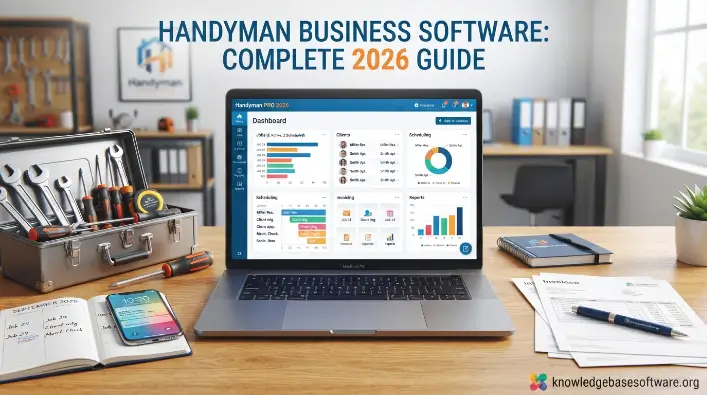
Welcome to KnowledgeBaseSoftware. Handyman businesses need efficient systems to manage appointments, customer requests, estimates, and payments. Handyman business software helps simplify these tasks by replacing manual processes with organized digital tools. It reduces scheduling errors, saves time, and helps businesses provide reliable repair and maintenance services.
Modern handyman business software combines features such as handyman scheduling software, service dispatch software, and job management software in one platform. These tools help business owners schedule jobs, assign technicians, track work progress, manage customer information, and complete projects on time.
What Is Handyman Business Software?
Handyman business software is a digital solution designed to help handyman businesses manage their daily operations. It provides tools for scheduling appointments, managing customer records, preparing estimates, sending invoices, processing payments, and tracking jobs. By organizing these tasks in one place, the software helps businesses improve efficiency and manage their services more effectively.
Definition and Purpose
Handyman business software is designed for professionals who provide repair, maintenance, installation, and home improvement services. Its main purpose is to simplify daily business tasks, reduce manual work, and keep important information organized.
Many platforms combine field service management software, scheduling tools, invoicing features, and customer databases. These features help businesses manage jobs from the first customer inquiry to service completion and payment collection.
Who Needs It?
Handyman business software is useful for independent handymen, small teams, and growing service companies. It helps businesses organize schedules, manage customer requests, track jobs, and improve daily operations.
Companies can also use a handyman CRM to store customer details, maintain service histories, and manage communication. These tools make it easier to handle current jobs and support business growth.
Solo Handymen
Solo handymen often manage scheduling, estimates, invoices, customer communication, and repair work themselves. Handyman business software helps them organize these responsibilities, reduce administrative work, and spend more time completing paid jobs.
Small Teams
Small handyman teams need to coordinate technician schedules, job assignments, and customer updates. Handyman business software provides a centralized system that helps team members share job information, avoid scheduling conflicts, and manage appointments more efficiently.
Growing Service Companies
Growing handyman companies must manage more customers, employees, service requests, and job assignments. Handyman business software helps organize these operations, coordinate technicians, track job progress, and manage a larger workload while reducing manual errors.
How It Differs From General Business Software
General business software supports broad tasks such as accounting, document creation, and project management. However, it may not include the specialized tools needed to manage handyman jobs and coordinate field service operations.
In contrast, handyman business software includes features such as job scheduling, technician dispatching, customer history tracking, mobile workforce management, and handyman CRM tools. These features help handyman businesses organize service requests, manage technicians, and track jobs from scheduling to completion.
Read Also: Business Software Programs: Types, Features & Guide
Key Features to Look for in Handyman Business Software
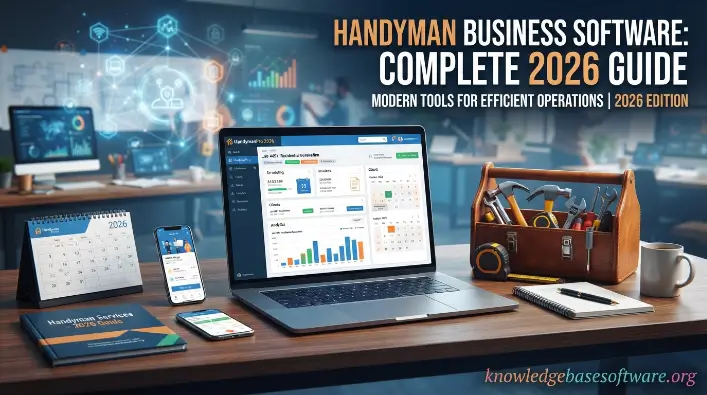
Choosing the right handyman business software depends on the features that help manage daily operations, improve customer service, and increase efficiency. A suitable platform should simplify scheduling, job tracking, communication, and financial management. Features such as handyman scheduling software, handyman estimating software, and service dispatch software help businesses organize their work and manage current needs while preparing for growth.
Job Scheduling and Dispatching
Job scheduling and dispatching are essential features of handyman business software. They help business owners assign jobs according to technician availability, skills, and location. This reduces scheduling conflicts, limits downtime, and helps technicians arrive on time.
Advanced job management software may include calendar views, automatic scheduling updates, and drag-and-drop tools. Dispatching features also allow managers to reassign jobs quickly when appointments change, helping teams maintain an organized workflow.
Estimates and Quotes
Accurate estimates and professional quotes help handyman businesses win jobs and build customer trust. Handyman business software makes it easier to prepare estimates using templates, labor rates, and material costs. This reduces manual calculations and keeps pricing consistent.
With integrated handyman estimating software, businesses can turn approved estimates into jobs or invoices without entering the same information again. This saves time, reduces errors, and helps staff respond to customer requests more efficiently.
Invoicing and Payment Processing
Invoicing and payment processing help handyman businesses manage cash flow and collect payments on time. Handyman business software can generate professional invoices after job completion, making billing faster and more organized.
Many platforms support online payments through credit cards, bank transfers, or mobile payment methods. Automated reminders for overdue invoices also reduce manual follow-ups and help businesses collect outstanding payments.
Customer Relationship Management (CRM)
Customer relationship management helps handyman businesses maintain customer records and build long-term relationships. Handyman business software with built-in CRM tools stores contact details, service history, and communication records in one place.
A connected job management software system can also support customer follow-ups and personalized communication. These features help businesses improve customer retention, encourage repeat bookings, and generate referrals.
Mobile Access for Field Technicians
Mobile access allows technicians to use handyman business software while working at customer locations. Mobile apps help them check schedules, view job details, update work status, upload photos, and collect customer signatures.
These tools reduce paperwork and keep job information up to date. Technicians can also communicate with office staff in real time, helping teams coordinate work and avoid unnecessary delays.
Route Optimization and GPS Tracking
Route optimization and GPS tracking help handyman businesses manage travel between job locations. Handyman business software with route planning features can help technicians choose efficient routes, reduce travel time, and lower fuel expenses.
GPS tracking can also help managers monitor technician locations and provide customers with more accurate arrival estimates. Better route planning supports reliable service and improves daily productivity.
Reporting and Analytics
Reporting and analytics help business owners understand how their handyman operations are performing. Handyman business software can provide reports on revenue, completed jobs, technician productivity, and customer activity.
These insights help identify operational problems, measure performance, and make informed business decisions. Reviewing trends over time also supports better resource planning and profitability.
Automated Customer Communication
Automated communication helps handyman businesses keep customers informed throughout the service process. Handyman business software can send appointment confirmations, reminders, follow-up messages, and payment notifications automatically.
This reduces administrative work and helps prevent missed appointments. Consistent updates also improve the customer experience and encourage positive reviews and repeat business.
Benefits of Using Handyman Business Software
Handyman business software helps businesses improve efficiency, customer service, and financial management by automating routine tasks and organizing daily operations in one platform.
Benefits of Using a Handyman
- Saves time by automating scheduling, invoicing, customer communication, and job tracking.
- Improves customer service through faster responses, accurate estimates, and clear communication.
- Reduces scheduling mistakes by organizing calendars and preventing double bookings.
- Speeds up payments with digital invoices, online payment options, and automatic reminders.
- Keeps customer information, service records, and job histories organized in one place.
- Improves technician productivity through mobile access to job details and real-time updates.
- Supports business growth by helping companies manage more jobs and customers efficiently.
- Helps owners make informed decisions through reports on revenue, productivity, and operational performance.
- Encourages repeat business through customer follow-ups and service reminders.
- Improves profitability by reducing wasted time, administrative work, and operational errors.
Best Handyman Business Software Solutions in 2026
Handyman business software helps service companies organize scheduling, manage customers, and improve operational efficiency. The following comparison highlights several platforms and their commonly associated features to help businesses identify options worth evaluating.
comparison table
| Software | Best For | Key Features | Pricing Model |
|---|---|---|---|
| Jobber | Small to medium handyman businesses | Scheduling, CRM, invoicing, online booking, automation | Subscription-based |
| Housecall Pro | Service businesses needing automation | Dispatching, payments, marketing tools, scheduling, mobile app | Subscription-based |
| ServiceTitan | Large and growing service companies | Advanced reporting, CRM, dispatching, workflow automation | Custom pricing |
| Kickserv | Budget-conscious small teams | Estimates, scheduling, customer tracking, invoicing | Affordable subscription |
| ServiceM8 | Mobile-first handyman operations | Job management, GPS tracking, scheduling, quotes | Usage or subscription-based |
| QuickBooks | Accounting and financial management | Invoicing, expense tracking, payroll, reporting | Subscription-based |
Each platform offers different capabilities and pricing arrangements. Compare current features, costs, and business requirements before selecting handyman business software.
How to Choose the Right Handyman Software for Your Business
Choosing suitable handyman business software can affect daily productivity, customer satisfaction, and long-term profitability. Before selecting a platform, identify your business requirements, review available features, and check whether the system can grow with your company. Solutions that include service dispatch software, handyman CRM, and job management software can help businesses organize service operations more effectively.
Assess Your Business Size
Your business size helps determine which handyman business software features you need. Solo handymen may only require scheduling, invoicing, and basic customer management. Larger teams often need multi-user access, technician dispatching, and performance reports.
Small businesses may prefer affordable systems with simple setup, while growing companies need platforms that can handle more customers, employees, and jobs. Choose software that meets your current needs without adding unnecessary costs or complexity.
Identify Operational Challenges
Identify the main problems affecting your handyman business before choosing software. Common challenges include scheduling conflicts, late payments, poor customer communication, and difficulty tracking job progress.
The right handyman business software should address these issues with practical automation and management tools. Features such as handyman scheduling software and handyman estimating software can reduce manual errors and improve daily workflows.
Consider Integration Requirements
Integration matters when choosing handyman business software, especially if your company already uses accounting tools, payment services, or marketing platforms. Connecting these systems reduces repeated data entry and helps information move between business tools.
Check whether the software works with tools such as QuickBooks, email marketing services, and payment gateways. Compatible integrations can simplify financial tracking, customer communication, and reporting.
Review Mobile Functionality
Mobile functionality is important because handyman technicians often work away from the office. They need access to schedules, customer details, and job instructions while visiting service locations.
Reliable handyman business software should allow technicians to update job statuses, upload photos, collect signatures, and communicate with office staff using mobile devices. These features help keep information current and improve coordination.
Calculate Total Cost of Ownership
When comparing handyman business software, consider the full cost rather than looking only at the monthly subscription. Additional expenses may include setup, staff training, optional features, and payment processing fees.
Reviewing these costs helps you choose a solution that fits your budget and offers practical value. Software that saves time and reduces administrative work may provide a worthwhile return over time.
Test Free Trials Before Committing
A free trial allows you to evaluate whether handyman business software meets your needs before purchasing a subscription. You can test its interface, features, and performance using typical business tasks.
During the trial, check scheduling, invoicing, mobile access, and customer management. Make sure the software fits your daily workflow and is easy for your team to use.
Common Mistakes When Selecting Handyman Software
Choosing the wrong handyman business software can lead to unnecessary expenses, poor adoption, and limited improvements in efficiency. Businesses should evaluate their requirements carefully and compare features before making a decision. Reviewing service business software, field service management software, and job management software capabilities can help prevent common selection mistakes.
Buying Features You Will Never Use
A common mistake is paying for advanced handyman business software features that do not support your daily operations. Some platforms include extensive tools that smaller businesses may not need.
Unnecessary features can increase costs and make the system harder to use. Focus on essential functions such as scheduling, invoicing, and customer management before paying for additional capabilities.
Ignoring Mobile Usability
Mobile usability is essential when selecting handyman business software because technicians need to access job information while working in the field. A poorly designed mobile app can slow down tasks and reduce productivity.
If technicians cannot easily view job details, update statuses, or communicate with the office, delays and mistakes may increase. Test the mobile experience before choosing a platform.
Overlooking Customer Support
Customer support is an important factor when choosing handyman business software. Businesses may need help with setup, troubleshooting, or understanding particular features.
Poor support can make technical problems harder to resolve and disrupt daily operations. Review the provider’s available support channels, response options, and training resources before subscribing.
Failing to Train Employees
Even effective handyman business software may deliver limited results if employees do not know how to use it. Insufficient training can lead to mistakes, inconsistent records, and resistance to adopting the new system.
Provide guidance on scheduling, invoicing, job updates, and mobile features. Proper training helps employees use the software confidently and consistently.
Not Planning for Future Growth
Choosing handyman business software only for current requirements can create problems as the company expands. A system that works for a small team may not support a larger workforce or higher job volume.
Look for software that can accommodate additional users, more appointments, and useful features such as automation and reporting. Planning ahead helps avoid the cost and disruption of changing platforms later.
Step-by-Step Implementation Guide
Implementing handyman business software requires careful planning to support adoption, protect business data, and minimize disruptions. A structured process helps companies move from manual records to a more organized digital workflow using tools such as field service management software and job management software. Businesses can then manage daily service operations more consistently through a digital system.
Audit Current Processes
Start by reviewing how your business currently handles scheduling, customer communication, invoicing, and job tracking. Identify repetitive tasks, delays, and common mistakes that the new handyman business software should help resolve.
A detailed process audit can reveal workflow problems that service business software may address. Documenting these issues helps you configure the new system around actual business needs.
Import Customer Data
After reviewing your processes, transfer relevant customer information into the handyman business software platform. This may include contact details, previous jobs, invoices, and service records. Check the information for accuracy before importing it.
Organized data helps your handyman CRM work effectively from the beginning. It also allows office staff and technicians to review customer history and provide more informed service.
Configure Scheduling and Invoicing
Set up the scheduling and invoicing features before using handyman business software for daily operations. Configure calendars, technician roles, pricing, and invoice templates to match your business processes.
Properly configured handyman scheduling software helps organize appointments and reduce double bookings. Accurate invoice settings also make billing easier and support timely payments.
Train Staff
Train employees before fully adopting handyman business software. Staff should understand how to use the system’s main features and follow consistent procedures for managing jobs and customer records.
Training should cover scheduling, job status updates, mobile access, and customer communication. This prepares employees to use the platform confidently and reduces avoidable mistakes.
Monitor Performance Metrics
After implementation, review performance metrics available through your handyman business software. Useful measurements include job completion rates, revenue, scheduling efficiency, and customer satisfaction.
Reports from field service management software can help identify problems and highlight opportunities for improvement. Review results regularly to ensure the system continues to support business goals.
Future Trends in Handyman Business Software
Handyman business software is evolving as automation, artificial intelligence, and data analysis become more widely used. These technologies can help service businesses manage jobs, improve scheduling, and reduce repetitive administrative tasks.
Future Trends in Handyman Business
- Artificial intelligence may improve scheduling by matching jobs with technician skills, locations, and availability.
- Predictive maintenance tools may help identify potential repair needs before equipment problems become more serious.
- Automated estimating features can help prepare quotes using pricing records, labor costs, and job requirements.
- Voice-enabled job management may allow technicians to update job details without using their hands.
- Advanced analytics can help businesses review profitability, technician productivity, and customer trends.
- Customer portals can allow clients to request appointments, check job progress, and make payments online.
- Improved GPS tracking may support more accurate dispatching, route planning, and arrival estimates.
- Integrations with accounting, CRM, and marketing tools can connect essential business processes.
- Mobile-first platforms may offer better usability, faster performance, and offline access for field technicians.
- Increased automation can reduce administrative work and give businesses more time to focus on service quality and customer relationships.
Frequently Asked Questions
What is handyman business software?
Handyman business software is a digital platform designed to manage scheduling, invoicing, customer communication, job tracking, and overall field service operations in one centralized system. It helps streamline daily workflows and reduce manual administrative work.
Is handyman business software suitable for small businesses?
Yes, handyman business software is highly beneficial for small businesses and solo operators. It helps automate repetitive tasks, improve organization, and present a more professional image to customers.
How much does handyman business software cost?
The cost of handyman business software varies depending on features and business size. Basic plans can start at a low monthly fee, while advanced systems with automation and reporting may cost more.
Does handyman business software include mobile access?
Most modern handyman business software platforms include mobile apps that allow technicians to view jobs, update statuses, collect payments, and communicate with office staff in real time.
Can handyman business software help increase revenue?
Yes, handyman business software can increase revenue by improving efficiency, reducing missed jobs, speeding up payments, and helping businesses manage more customers with less effort.
Conclusion
In today’s competitive service industry, adopting handyman business software is no longer optional it is a strategic necessity for long-term success. Businesses that continue relying on manual systems often struggle with inefficiencies such as scheduling errors, delayed invoicing, poor communication, and limited visibility into daily operations. By contrast, modern digital solutions help streamline workflows, improve coordination, and enhance overall productivity.
Handyman business software supports every aspect of a service business, from job scheduling and customer management to invoicing, reporting, and mobile field operations. With the right platform in place, companies can reduce administrative workload, improve customer satisfaction, and scale operations more effectively without increasing overhead. Ultimately, investing in handyman business software is about building a more organized, efficient, and profitable business. Whether you are a solo handyman or managing a growing team, choosing the right system ensures better control over operations and creates a strong foundation for sustainable growth in the future.

