
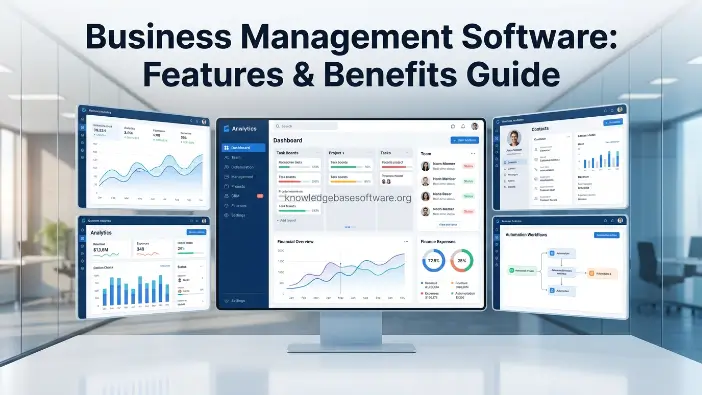
In today’s highly competitive digital landscape, businesses need to handle several operations simultaneously, including sales, finance, employee management, customer support, and daily task monitoring. Managing these activities manually or with different tools can often lead to confusion, duplicate data, and delays in making important decisions. Consequently, companies may find it difficult to maintain efficiency and achieve steady growth.
Business management software offers a comprehensive solution by bringing essential business functions together within one centralized system. It enables organizations to automate repetitive tasks, track performance in real time, and strengthen coordination among teams. With business management software, businesses can lower manual workloads, reduce errors, and make quicker, data-driven decisions that contribute to long-term success and scalability.
What is Business Management Software?
Business management software is a digital platform created to help organizations manage, automate, and simplify their core business operations through one centralized system. Rather than relying on separate tools for accounting, customer management, HR, and project tracking, this software combines these functions into one integrated solution. The primary purpose of business management software is to increase efficiency, minimize manual work, and provide real-time insight into business performance. It enables companies to organize information, monitor progress, and make quicker, more informed decisions. By linking various departments and processes, it supports smoother communication and stronger overall control of business operations.
Definition and Purpose
- A software solution that combines various business functions
- Created to automate routine operations and minimize manual effort
- Supports higher productivity and improved decision-making
How it Centralizes Business Operations
- Integrates CRM, accounting, HR, and project management within one platform
- Keeps all business information in a centralized database
- Offers real-time access to data across different departments
Difference Between Traditional Tools and Integrated Platforms
- Traditional tools operate independently and can lead to fragmented data
- Integrated platforms bring all business functions together in one system
- Modern software provides automation, analytics, and enhanced collaboration
- Traditional approaches demand greater manual effort and take more time
Core Functions of Business Management Software
Business management software is essential for organizing and automating important business activities. One of its primary functions is task management, which enables teams to assign, monitor, and complete daily responsibilities more efficiently. It helps define responsibilities clearly, keep deadlines on schedule, and enhance overall productivity across departments.
Another key function of business management software is customer relationship management (CRM). This capability enables businesses to maintain customer information, monitor interactions, manage leads, and strengthen sales performance. With all customer details available in one location, companies can develop stronger relationships and provide improved service.
- Task Management: Assigns and monitors tasks to support efficient workflows
- Customer Relationship Management (CRM): Organizes customer information, leads, and sales activities
- Accounting and Finance Tracking: Tracks expenses, invoices, and financial reports for improved control
- HR and Payroll Systems: Manages employee records, attendance, salary processing, and performance monitoring
Read Also: field service management software for small business
Key Features of Business Management Software
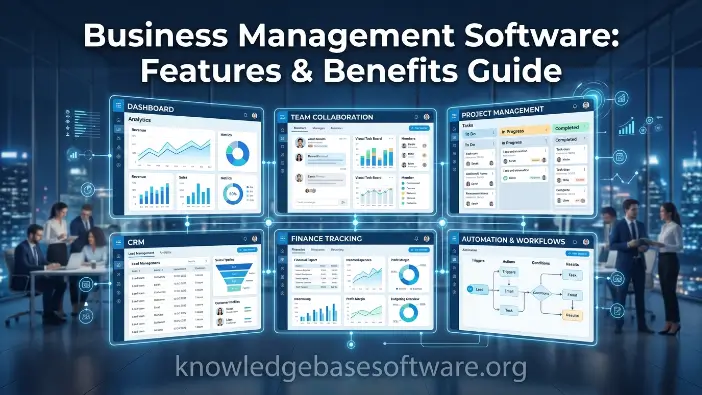
Business management software offers powerful features that enable organizations to simplify operations and increase overall efficiency. A major advantage of business management software is its ability to automate repetitive activities such as invoicing, reporting, data entry, and notifications. This lowers manual effort, reduces human errors, and gives employees more time to concentrate on strategic responsibilities. Additionally, modern systems are built to be flexible, scalable, and easy to use, making them appropriate for businesses of different sizes. Together, these features improve productivity, strengthen collaboration, and give businesses greater control over their daily operations.
Automation Capabilities
- Automates recurring tasks such as billing, reporting, and reminders
- Minimizes human errors while saving valuable time
- Boosts operational efficiency across different departments
Cloud-Based Access
- Provides access to business data from anywhere at any time
- Supports remote work and effective team collaboration
- Maintains secure data storage along with reliable backups
Reporting and Analytics
- Delivers real-time insights into business performance
- Supports informed, data-driven decision-making
- Creates detailed financial and operational reports
Integration with Third-Party Tools
- Integrates with CRM, email, payment, and marketing platforms
- Enables seamless data movement between different systems
- Reduces the need to move between multiple platforms
Workflow Management
- Structures and automates business processes step-by-step
- Strengthens task coordination among teams
- Improves productivity through organized workflows
Advanced Features in Modern Platforms
Modern business management software has advanced considerably, providing capabilities that extend beyond basic automation and tracking. These functions are intended to help businesses make informed decisions, strengthen communication, and uphold effective security standards. As the demand for digital transformation continues to increase, companies increasingly depend on intelligent systems that can adjust to evolving business requirements and deliver real-time insights for improved performance management.
Additionally, business management software incorporates advanced technologies that increase productivity and support smooth collaboration among teams. These capabilities enable businesses to remain competitive in rapidly changing markets by enhancing the speed, accuracy, and availability of data.
- AI-Powered Insights: Applies artificial intelligence to forecast trends and assist with more informed decision-making
- Real-Time Collaboration: Allows teams to work together instantly, exchange updates, and communicate effectively
- Mobile App Access: Enables users to manage business operations through smartphones and tablets at any time
- Data Security and Compliance: Safeguards sensitive business information through encryption and regulatory compliance standards
Benefits of Using Business Management Software
Business management software offers organizations substantial benefits by improving the way daily operations are managed and how teams handle data and processes. A major advantage of business management software is its ability to improve overall efficiency by automating repetitive activities and decreasing manual workloads. It also gives businesses greater operational control by keeping essential information centralized in one location. With real-time access to reliable data, companies can react more quickly to challenges and opportunities. This supports better planning, more effective performance monitoring, and stronger business outcomes across departments.
Improved Productivity
- Automates routine activities and decreases manual workload
- Allows employees to concentrate on higher-value responsibilities
- Simplifies workflows for quicker task completion
Better Decision-Making
- Delivers real-time information and analytical insights
- Enables managers to make informed strategic choices
- Minimizes mistakes resulting from outdated information
Reduced Operational Costs
- Reduces reliance on multiple separate software tools
- Decreases labor expenses through automation
- Promotes better use of resources across departments
Enhanced Team Collaboration
- Brings communication together within one centralized platform
- Strengthens coordination among departments
- Allows updates and files to be shared smoothly
Scalability for Business Growth
- Adjusts easily as business operations grow
- Supports additional users, data, and processes
- Provides long-term flexibility for expanding organizations
Impact on Small vs Large Businesses
The effect of business management software can differ according to an organization’s size and structure. For small businesses, it provides an effective way to introduce greater structure, organization, and automation into everyday operations. Many smaller companies face limited resources and rely heavily on manual processes, which can slow their growth. By implementing business management software, they can simplify tasks, handle customer relationships more effectively, and reduce their reliance on several separate tools. This enables small businesses to operate more efficiently and compete with larger companies in the market.
For large enterprises, business management software is important for handling complicated workflows across various departments and locations. It supports effective coordination among teams, automates processes on a large scale, and offers centralized management of substantial amounts of data. Through advanced reporting and integration capabilities, enterprises can preserve efficiency, minimize operational risks, and maintain consistency across different business units.
- Small Business Efficiency Improvements: Helps automate essential tasks, organize workflows, and increase productivity with limited resources
- Enterprise-Level Process Automation: Handles complex operations across departments, strengthens coordination, and supports large-scale data management
Types of Business Management Software
Various types of business management software are created to manage particular business functions according to organizational requirements and industry needs. Some organizations choose comprehensive all-in-one platforms, while others rely on specialized solutions for specific departments. Each type of business management software serves a distinct purpose in improving efficiency, reducing manual tasks, and providing greater operational control. Whether managing finances, monitoring customer relationships, or organizing employee information, these tools help businesses operate more efficiently and make informed decisions. Knowing the different types enables companies to select an appropriate solution according to their size, objectives, and operational complexity.
- ERP (Enterprise Resource Planning) Systems: Combine essential business processes such as finance, supply chain, and operations within one unified platform
- CRM Software: Organizes customer information, sales pipelines, and supports stronger customer relationships and retention
- Project Management Tools: Enable teams to plan, organize, and monitor projects effectively using deadlines and task assignments
- Accounting Software: Manages financial transactions, invoicing, budgeting, and reporting for improved financial control.
- HR Management Systems: Handle employee records, payroll, recruitment, attendance, and performance monitoring
How to Choose the Right Business Management Software
Selecting the right business management software is an important decision that can directly influence a company’s efficiency, productivity, and long-term growth. Every organization has unique requirements based on its size, industry, and operational complexity, meaning a one-size-fits-all solution may not always be suitable. The right business management software should match business objectives, simplify everyday operations, and accommodate future growth. It should also strengthen collaboration between departments and deliver reliable real-time insights to support informed decisions. Before making an investment, businesses should carefully assess features, usability, and pricing, since the wrong choice can result in wasted resources and operational difficulties.
- Identify Business Needs: Determine your key requirements, such as finance, HR, sales, or project management, before choosing software.
- Budget Considerations: Select an option that matches your budget while providing necessary features and lasting value
- Ease of Use and Scalability: Make sure the system is simple to use and capable of growing alongside your business
- Integration Capabilities: Verify that the software can connect smoothly with existing tools such as CRM, accounting, or email systems
- Customer Support and Training: Dependable support and effective training resources are important for successful implementation and adoption
Common Mistakes to Avoid
When choosing business management software, businesses can make significant mistakes that may negatively affect long-term efficiency and performance. A frequent problem is selecting a system that is unnecessarily complicated for the organization’s actual requirements. Although advanced features can appear appealing, they may create confusion, increase training time, and reduce productivity. Another important mistake is overlooking future growth requirements. Businesses that fail to plan ahead may eventually use software that cannot scale with their needs, requiring a costly and time-consuming system change later.
Properly evaluating available options before making a final choice is also essential. Some companies overlook free trials and later invest in software that does not match their workflows. Spending time reviewing features, ease of use, and compatibility can support a more suitable decision. A carefully planned approach to selecting business management software can help avoid operational difficulties and support greater long-term efficiency.
- Choosing Overly Complex Systems: Avoid platforms with unnecessary features that make everyday operations more difficult
- Ignoring Future Growth Needs: Choose a scalable solution that can expand alongside your business.
- Not Testing Free Trials: Always evaluate usability and features before committing to a final purchase
Best Practices for Implementation
Successfully implementing business management software requires a structured strategy to support smooth adoption and minimize disruption to everyday operations. A strong implementation plan allows businesses to move from traditional systems to a digital environment while protecting important data and maintaining productivity. When business management software is implemented properly, it can increase efficiency, improve team collaboration, and help departments adjust effectively to the new system. Thorough planning, clear communication, and employee training are important for maximizing the software’s benefits and avoiding common implementation issues that may affect performance.
- Step-by-Step Onboarding: Introduce the platform gradually, beginning with core features before moving to advanced modules
- Employee Training Strategies: Offer appropriate training sessions so employees can understand and use the system effectively
- Data Migration Planning: Transfer existing business information carefully to prevent errors, duplication, or data loss
- Gradual Rollout Approach: Deploy the software in phases across departments to support smooth adaptation and minimize operational risks
Future Trends in Business Management Software
The future of business management software is being influenced by rapid technological developments that are changing how businesses operate and make decisions. Today’s business management software extends beyond basic automation, evolving into intelligent platforms that support real-time decision-making, predictive insights, and convenient remote access. As organizations continue adopting digital transformation, these systems are expected to become more advanced, easier to use, and increasingly integrated with emerging technologies. This development can help businesses increase efficiency, control costs, and remain competitive in an increasingly data-focused business environment.
- AI Automation Growth: Greater adoption of artificial intelligence to automate complex business processes and increase accuracy
- Predictive Analytics: Enables businesses to anticipate trends, customer behavior, and future performance for improved planning.
- Increased Mobile-First Solutions: Provide comprehensive business management through smartphones and tablets for greater flexibility
- Greater Cloud Adoption: Expands secure, scalable, and remote access to business information anytime, anywhere
Frequently Asked Questions
What is business management software used for?
Business management software is used to manage, automate, and streamline core business operations such as finance, HR, sales, customer management, and project tracking within a single system.
Is business management software suitable for small businesses?
Yes, business management software is highly beneficial for small businesses because it helps reduce manual work, improve organization, and increase productivity even with limited resources.
What are the main benefits of business management software?
The main benefits of business management software include improved efficiency, better decision-making, reduced operational costs, enhanced collaboration, and easy scalability as the business grows.
Does business management software work in the cloud?
Most modern business management software solutions are cloud-based, allowing users to access data anytime, anywhere, and collaborate in real time securely.
How do I choose the right business management software?
To choose the right business management software, you should evaluate your business needs, budget, ease of use, integration options, scalability, and available customer support.
Conclusion
In today’s fast-changing business environment, adopting business management software is no longer optional but essential for sustainable growth and efficiency. It brings all critical business functions such as finance, HR, sales, and operations into one unified platform, helping organizations work smarter and faster. With business management software, businesses can reduce manual workload, improve accuracy, and gain real-time insights that support better decision-making.
As competition continues to increase, companies that invest in the right digital tools will always have an advantage in productivity, cost control, and scalability. Whether it is a small business or a large enterprise, business management software provides the structure and flexibility needed to adapt, grow, and succeed in the modern digital economy.

