
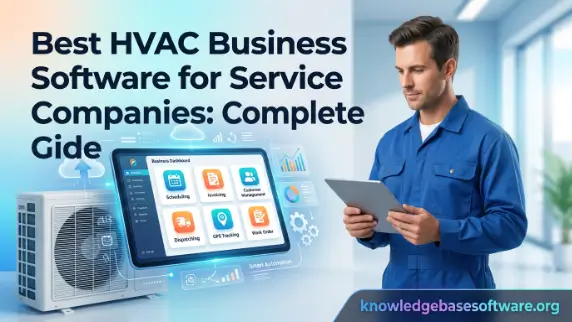
Welcome to knowledgebasesoftware. In today’s highly competitive service industry, HVAC business software has become an essential tool for companies that want to stay efficient, profitable, and organized. Modern HVAC operations involve far more than just completing repair or installation jobs they require careful coordination of technicians, real-time scheduling, customer communication, inventory tracking, and accurate invoicing. Without a centralized system, even small operational gaps can lead to missed appointments, delayed payments, and poor customer satisfaction.
This is where digital transformation becomes critical. By using HVAC business software, companies can automate and streamline their entire workflow, from lead management to job completion. Tools like HVAC scheduling software and HVAC CRM software help businesses manage appointments, improve customer relationships, and optimize technician performance in real time. As a result, HVAC companies not only reduce manual workload but also gain better visibility into daily operations, allowing them to scale more effectively and deliver faster, more reliable service.
What Is HVAC Business Software?
HVAC business software is a specialized digital platform designed to help heating, ventilation, and air conditioning companies manage and automate their daily operations. Instead of relying on manual paperwork, spreadsheets, or disconnected tools, businesses use this software to centralize key functions such as scheduling, dispatching, customer management, invoicing, and reporting. The goal is to improve efficiency, reduce errors, and create a smoother workflow across the entire service operation. In most cases, this type of software is built as part of a broader field service management software ecosystem, meaning it is specifically optimized for businesses that send technicians into the field.
Core Definition
At its core, HVAC business software is a digital system that helps HVAC companies organize and automate essential business processes. It acts as a central hub where all operational data, such as customer details, job schedules, service history, and billing information, is stored and managed efficiently. This eliminates the need for fragmented tools and reduces the chances of miscommunication between teams.
In addition, it integrates multiple functions into one platform, including HVAC scheduling software, dispatch software for HVAC, and HVAC invoicing software. This integration allows businesses to manage everything from booking appointments to collecting payments without switching between different systems, making operations significantly more streamlined and reliable.
Who Uses It (Contractors, Technicians, Managers)
HVAC contractors and business owners primarily use HVAC business software to oversee operations, monitor performance, and ensure profitability. They rely on dashboards and reporting tools to understand job completion rates, revenue flow, and workforce productivity. This helps them make informed business decisions and scale operations effectively.
Technicians and field workers also depend heavily on the software, especially through mobile applications. They use it to access job details, update work status, upload images, and communicate with the office in real time. Managers and dispatchers, on the other hand, use it to assign jobs, optimize routes, and ensure that the right technician is sent to the right job at the right time.
Key Problems It Solves
One of the biggest problems HVAC businesses face is inefficient scheduling and communication breakdowns between office staff and field technicians. HVAC business software solves this by offering real-time scheduling updates, automated dispatching, and centralized communication, ensuring that everyone stays aligned throughout the job lifecycle.
It also addresses financial and operational inefficiencies such as delayed invoicing, lost service records, and poor inventory tracking. By integrating HVAC CRM software and HVAC invoicing software, businesses can improve cash flow, enhance customer satisfaction, and reduce costly operational errors that typically occur in manual systems.
Read also: small business scheduling software
Common Mistakes When Choosing HVAC Software
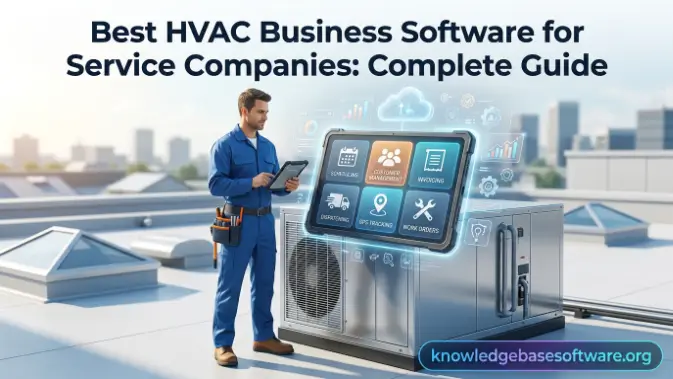
Choosing the right HVAC business software is a critical decision that directly impacts efficiency, customer satisfaction, and long-term profitability. However, many HVAC companies rush the selection process or focus only on price instead of overall value. This often leads to software that does not fit their workflow, lacks essential features, or becomes difficult for teams to adopt. Understanding common mistakes before making a decision helps businesses avoid costly disruptions and ensures they choose a system that truly supports growth and operational success.
Common Mistakes to Avoid
- Choosing software based only on price instead of overall features and long-term value
- Ignoring scalability and selecting a system that cannot grow with the business
- Overlooking ease of use, leading to poor adoption by technicians and office staff
- Not prioritizing mobile functionality for field teams using HVAC scheduling software on the go
- Failing to check integration capabilities with tools like accounting or HVAC CRM software
- Selecting overly complex systems that slow down daily operations instead of simplifying them
- Not evaluating customer support quality and onboarding assistance
- Ignoring reporting and analytics features needed for business decision-making
- Overlooking customization options for workflows, invoicing, and dispatch processes
- Not testing the software with real workflows before full implementation
Key Features of HVAC Business Software
HVAC business software comes with a wide range of features designed to simplify and automate daily operations for HVAC companies. These features are built to handle everything from scheduling and dispatching technicians to managing customer relationships, processing invoices, and tracking inventory. By combining multiple operational tools into one platform, businesses can reduce manual workload, improve accuracy, and ensure smoother coordination between office staff and field technicians. Each feature plays a specific role in improving efficiency and profitability. When used together, these tools create a fully integrated system that supports better decision-making, faster job completion, and improved customer satisfaction across the entire HVAC service workflow.
Job Scheduling & Dispatching
Job scheduling and dispatching are core components of HVAC business software, often powered by HVAC scheduling software and an advanced dispatch system. These tools allow businesses to assign jobs to technicians based on availability, skill level, and location. This ensures that the right technician is always matched to the right job, reducing delays and improving service efficiency.
In addition, real-time scheduling updates help prevent double bookings and missed appointments. Dispatchers can easily adjust schedules using drag-and-drop calendars, while technicians receive instant notifications on their mobile devices. This level of coordination significantly improves response times and overall operational flow.
Customer Relationship Management (CRM)
Customer Relationship Management (CRM) features in HVAC business software help companies maintain a structured customer database that stores all client information, service history, and communication records. With HVAC CRM software, businesses can track customer interactions and build long-term relationships through personalized service.
This centralized system allows HVAC companies to quickly access past job details, making it easier to recommend maintenance services or follow-up visits. It also improves customer satisfaction by ensuring that technicians are always informed about previous issues and service history before arriving on-site.
Invoicing & Payment Processing
Invoicing and payment processing features are powered by HVAC invoicing software and automated billing systems that simplify financial operations. These tools allow technicians to generate invoices immediately after completing a job, reducing delays in billing and improving cash flow.
Automated billing also reduces human error and ensures accurate pricing for services rendered. Many systems integrate with payment gateways and accounting tools, enabling customers to pay online instantly while keeping financial records synchronized across the business.
Mobile Access for Technicians
Mobile access is a critical feature that enables technicians to stay connected while working in the field. Through mobile apps, technicians can access job details, receive updates, and track job status in real time. This eliminates the need for constant phone communication with the office.
Field updates allow technicians to upload photos, complete checklists, and collect digital signatures from customers directly on-site. This improves transparency, reduces paperwork, and ensures that all job information is accurately recorded and instantly available to office staff.
Inventory & Equipment Management
Inventory and equipment management features help HVAC companies keep track of spare parts, tools, and equipment usage across multiple jobs. With spare parts tracking, businesses can monitor stock levels and ensure that essential items are always available when needed.
This system reduces downtime caused by missing parts and improves job completion rates. It also helps businesses avoid overstocking or understocking inventory, leading to better cost control and more efficient resource management across operations.
Benefits of Using HVAC Business Software
HVAC business software provides significant advantages for service companies by streamlining operations, improving communication, and increasing overall efficiency. By automating essential tasks such as scheduling, dispatching, invoicing, and customer management, HVAC businesses can reduce manual workload and minimize costly errors. This leads to faster service delivery, improved customer satisfaction, and better control over daily operations, ultimately helping HVAC companies grow and remain competitive in a demanding market.
Key Benefits
- Improves overall productivity by automating routine administrative tasks and reducing manual work
- Enhances job scheduling accuracy through HVAC scheduling software and intelligent dispatching systems
- Speeds up invoicing and payment collection using HVAC invoicing software and automated billing tools
- Strengthens customer relationships with centralized HVAC CRM software and service history tracking
- Reduces operational costs by minimizing errors, delays, and inefficient resource allocation
- Increases technician efficiency with real-time mobile access and job updates in the field
- Provides better visibility into business performance through reporting and analytics dashboards
- Improves communication between office staff, dispatchers, and field technicians
- Optimizes inventory control by tracking spare parts and equipment usage accurately
- Enables scalable growth by supporting more jobs, technicians, and customers without increasing complexity
Best Practices for Implementing HVAC Software
Successfully implementing HVAC business software requires more than just choosing the right platform; it depends on how well the system is introduced into daily operations. A structured implementation approach ensures that employees adapt quickly, data is transferred accurately, and business processes remain uninterrupted. When done correctly, it helps HVAC companies unlock the full potential of automation, improve workflow efficiency, and achieve faster return on investment. Careful planning during implementation also reduces resistance from staff and minimizes operational disruptions.
Staff Training
Staff training is one of the most important steps when implementing HVAC business software. Employees need to understand how to use key features such as scheduling, dispatching, invoicing, and customer management. Without proper training, even the most advanced system can fail to deliver results due to low adoption and misuse.
Training should be role-specific, ensuring that technicians, dispatchers, and office staff learn only the tools relevant to their daily tasks. Hands-on practice sessions using HVAC scheduling software and HVAC CRM software help build confidence and reduce errors during real-world operations.
Data Migration Tips
Data migration involves transferring existing business information such as customer records, job history, and financial data—into the new HVAC system. This step must be handled carefully to avoid data loss, duplication, or inconsistencies that could disrupt operations.
Before migration, businesses should clean and organize their data to ensure accuracy. It is also important to back up all existing records and test the migration process in stages. Validating data after transfer ensures that information used in HVAC invoicing software and customer databases remains reliable and complete.
Gradual Implementation Strategy
A gradual implementation strategy helps HVAC companies transition smoothly without overwhelming their teams. Instead of switching everything at once, businesses can roll out features step by step, starting with essential functions like scheduling and dispatching.
Once employees are comfortable, additional features such as HVAC CRM software, invoicing, and reporting can be introduced. This phased approach reduces resistance, improves adoption rates, and allows businesses to troubleshoot issues early before full system deployment.
Future Trends in HVAC Business Software
The future of HVAC business software is being shaped by rapid advancements in automation, artificial intelligence, and connected technologies. As HVAC companies continue to focus on efficiency, customer experience, and data-driven decision-making, software solutions are evolving beyond basic scheduling and invoicing tools into intelligent platforms that can predict demand, optimize workflows, and improve equipment performance. These innovations are helping HVAC businesses become more proactive, scalable, and competitive in an increasingly digital service landscape.
Future Trends to Watch
- Increased use of AI-powered automation for smarter job scheduling and dispatch optimization
- Growth of predictive maintenance systems that identify equipment issues before failure
- Expansion of IoT integration for real-time monitoring of HVAC systems and assets
- Smarter HVAC scheduling software that adjusts routes based on traffic and technician availability
- Advanced analytics dashboards for deeper business insights and performance tracking
- Greater adoption of mobile-first HVAC CRM software for on-the-go customer management
- Fully automated invoicing and payment systems using HVAC invoicing software
- Integration with voice assistants and smart devices for hands-free job management
- Enhanced cybersecurity features to protect customer and business data
- Increased use of cloud-based platforms for remote access and scalable operations
Frequently Asked Questions
What is HVAC business software used for?
HVAC business software is used to manage and automate key operations such as scheduling, dispatching, invoicing, customer management, and reporting. It helps HVAC companies streamline workflows, reduce manual errors, and improve overall efficiency across field and office teams.
Is HVAC business software suitable for small businesses?
Yes, HVAC business software is highly beneficial for small businesses. It helps reduce administrative workload, improves job scheduling accuracy, and ensures faster invoicing. Even small teams can operate more efficiently and deliver better customer service using these tools.
Does HVAC software include CRM and invoicing features?
Most modern HVAC business software includes both CRM and invoicing features. HVAC CRM software helps manage customer data and service history, while HVAC invoicing software automates billing and payment processing for completed jobs.
Can technicians use HVAC software on mobile devices?
Yes, most HVAC platforms offer mobile apps for technicians. These apps allow field workers to access job details, update job status, upload photos, and collect customer signatures in real time, improving communication and efficiency.
How does HVAC business software improve productivity?
HVAC business software improves productivity by automating repetitive tasks like scheduling, dispatching, and billing. It reduces communication gaps between office staff and technicians, allowing jobs to be completed faster and more accurately.
Conclusion
In today’s competitive service industry, adopting HVAC business software is no longer optional it is a strategic necessity for HVAC companies that want to improve efficiency, reduce operational costs, and deliver better customer experiences. By integrating essential functions such as scheduling, dispatching, CRM, and invoicing into one platform, businesses can eliminate manual processes and create a more streamlined workflow from lead generation to job completion.
As HVAC companies continue to grow, tools like HVAC scheduling software, HVAC CRM software, and HVAC invoicing software play a critical role in supporting scalability and long-term success. Businesses that invest in the right system not only improve day-to-day operations but also position themselves for sustainable growth in an increasingly digital and customer-focused market.

